New Inquiry
- Meaning
- A potential customer has contacted the shop.
- Move Forward When
- The shop responds and checks basic fit.
- Typical Owner
- Sales coordinator or salesperson.

A stone fabrication lead-to-quote workflow is a shared process for handling every sales opportunity from the first inquiry through an accepted or lost quote. A useful workflow gives each opportunity a clear stage, owner, value, next action and due date. It helps your shop find unattended leads, follow up on quotes, estimate likely work and hand accepted jobs into operations without rebuilding the information.
A homeowner requests a countertop quote on Monday. Your estimator prepares it on Tuesday and emails it that afternoon. Then nothing happens.
The salesperson thinks the owner will follow up. The owner assumes the salesperson has it covered. Two weeks later, the homeowner says they chose another fabricator.
The shop paid to attract the lead. Someone spent time reviewing measurements, selecting materials and calculating the price. The work was lost, but nobody can say whether the customer rejected the price, changed the project or simply received a faster response elsewhere.
This is not only a follow-up problem. It is a sales-process problem.
Your shop may have the same problem if:
New inquiries live in inboxes, text messages, notebooks and individual spreadsheets.
Quotes are sent without a named owner or a scheduled next action.
Old quotes remain mixed with active opportunities.
Sales stages mean different things to different people.
Managers forecast future work from memory.
Nobody records why customers choose another fabricator.
Accepted quote details must be entered again before production can begin.
When these habits continue, the shop loses more than individual jobs. Estimating time is wasted, future workload becomes harder to predict and operations receive incomplete information when a project does sell.
A lead-to-quote workflow is the process and shared record used to move a potential project from inquiry to a clear outcome. It answers six practical questions:
What opportunities are open?
Where is each opportunity in the buying process?
Who owns the next step?
What needs to happen next, and by when?
How much potential work is at each stage?
Which opportunities were won, lost or placed on hold?
The workflow should describe the customer’s progress toward a decision. It should not become a second production schedule.
Sales ends when the opportunity is won, lost or deliberately placed on hold. The production workflow begins after the customer approves the work and your shop’s requirements for starting a job have been met.
Every open opportunity should contain at least:
Customer and contact details
Project type, location and basic scope
Material preference, when known
Estimated or quoted value
Current sales stage
One responsible owner
Lead source
Date of the last contact
A specific next action and due date
Quote status
Loss reason or hold date when applicable
If one of these fields is missing, the team will usually fill the gap with memory or assumptions.
Most stone shops need only a small number of stages. Use the fewest stages that describe a meaningful change in the customer’s progress.
The exact names can match your shop’s language. What matters is that each stage has a clear entry condition and exit condition.
A smaller shop may combine “scope being completed” with “estimate in progress.” A shop serving builders, designers and retail customers may need different qualification questions for each customer type.
Avoid stages such as “working on it” or “warm lead.” They do not tell another person what has happened or what must happen next.
The stage “quote sent” also needs special care. Sending a quote is an activity, not a customer decision. A quote should never sit there without a next action, such as:
Call the customer on Thursday to answer questions.
Confirm whether the selected slab is still available.
Ask the builder for the revised plan by Friday.
Follow up after the customer’s cabinet installation date.
The best sales workflow is not the one with the most fields. It is the one your team can understand, update and trust.
Write one observable condition that moves an opportunity out of each stage. For example, “contacted” should mean that a real two-way conversation happened, not that someone left a voicemail.
Clear exit rules prevent salespeople from interpreting stages differently. They also make stage conversion reports more useful.
List the minimum inputs your estimator needs. These might include rough dimensions, edge profile, sink type, material, project address and drawings.
Do not force the estimator to chase information that sales could collect during qualification. At the same time, do not make the inquiry form so demanding that a serious customer gives up before making contact.
Several people may help with a sale, but one person must own the next step. Shared responsibility often becomes no responsibility.
Ownership should remain visible when an estimator, manager or purchasing employee joins the conversation. If ownership changes, record the change instead of relying on a verbal handoff.
An open opportunity without a next action is already at risk. “Follow up” is too vague. Record what the owner will do and when it will happen.
The next action may depend on the customer. For example, “Check for the revised cabinet drawing on September 15” is still a valid task. It tells the team why the opportunity is waiting and when to review it.
A stale opportunity is not simply an old one. A complex builder project may legitimately stay open longer than a small residential replacement.
Use the agreed next-action date as the main signal. You can also set review windows by stage or customer type. The rule should help the team find neglected work, not punish reasonable sales cycles.
A focused review can take 20 to 30 minutes. Start with overdue actions and stale quotes, then discuss high-value opportunities, blocked estimates and recently lost work.
Do not read every record aloud. The purpose is to make decisions:
Assign or change the next action.
Resolve missing information.
Ask for management help.
Close dead opportunities.
Correct the expected value or timing.
Prepare won work for operations.
Winning the job should not trigger a search through emails and paper notes. Define what operations must receive before the project enters scheduling.
A practical handoff may include the approved quote, signed documents, required deposit, final scope, chosen material, measurement status, customer commitments and important site notes.
Keep sales and production statuses separate. “Quote accepted” explains the commercial outcome. “Template scheduled” explains the operational state. Combining them makes both workflows harder to read.
Close lost opportunities instead of leaving them open forever. Use a short, consistent set of loss reasons, such as price, timing, no response, project cancelled, material unavailable, competitor selected or poor fit.
Choose “unknown” when you genuinely do not know. False precision is worse than an honest gap. If the customer may return later, close or hold the opportunity according to a defined rule and add a review date.
Start with metrics that help your team make a decision. More reporting does not automatically create more control.
Formula: time of first meaningful response minus time the inquiry was received.
Use this to find leads that wait too long for attention. Measure business hours separately if your shop receives requests overnight or on weekends.
Formula: time the quote was sent minus time the required scope became ready.
Starting the clock when the inquiry arrives can unfairly blame estimating for missing customer information. Record when the scope becomes ready so the measurement reflects the process you control.
Formula: accepted quotes divided by quotes sent, multiplied by 100.
Measure a consistent group of quotes. For example, follow all quotes sent in July until they receive an outcome. Do not casually divide this month’s wins by this month’s sent quotes if many decisions cross month boundaries.
Formula: won opportunities divided by total inquiries, multiplied by 100.
This broader measure includes lead quality and qualification. Compare it by lead source or customer type when you have enough data to make the comparison meaningful.
Formula: won date minus inquiry date.
Use the median as well as the average. A few long builder projects can distort the average and hide the normal retail sales cycle.
Open opportunity value is the total estimated value of active opportunities. Stale opportunity value is the portion attached to overdue or neglected opportunities.
Open opportunity value is not booked revenue. It becomes more useful when you view it by stage, expected decision period and customer type.
Stage conversion shows where opportunities stop progressing. Loss reasons help explain why.
If many qualified projects never reach a sent quote, the problem may sit in information collection or estimating capacity. If many quotes reach a decision but lose on timing, the shop may need to examine response speed, material availability or promised installation dates.
There is no universal “good” conversion rate for every fabricator. Project mix, lead source, price point and the definition of a qualified lead all affect the result. Establish your own baseline, then compare like with like.
Consider a hypothetical shop reviewing one group of opportunities:
60 inquiries entered the sales workflow.
48 met the shop’s qualification rules.
42 received a quote.
14 accepted the quote.
The average accepted project value was $7,500.
10 quotes remained open with a combined value of $82,000.
Four of those open quotes were stale and represented $31,000.
The quote acceptance rate is:
14 accepted quotes / 42 quotes sent × 100 = 33.3%
The lead-to-win rate is:
14 won opportunities / 60 inquiries × 100 = 23.3%
Booked sales from the accepted quotes equal:
14 accepted quotes × $7,500 = $105,000
These figures are an example, not an industry benchmark. They also describe sales, not profit. To estimate gross profit, the shop would need reliable material, labor, fabrication and other direct-cost data.
The most useful finding may be the $31,000 in stale quotes. The manager can inspect those four opportunities, confirm whether they are still real and assign a specific action. Simply reporting the full $82,000 as future revenue would create false confidence.
You do not need perfect data to improve the process. A healthy workflow has a few visible behaviors:
Every active opportunity has one owner.
Every active opportunity has a specific next action and date.
Stages reflect customer progress and have clear exit rules.
Overdue and stale opportunities are easy to find.
The team records lost work and reviews the reasons.
Sales reports can be reproduced without rebuilding a spreadsheet.
Accepted quote information passes into operations without repeated entry.
A salesperson can quickly explain what needs attention today.
If your team cannot answer those questions, simplify the process before adding more reports.
Stonify connects the commercial process with the operational information a stone shop needs after the sale.
Stonify calls its actual product feature Sales Pipeline. According to Stonify’s Sales Pipeline release notes, the feature shows how much potential business sits in each stage and helps users identify stale leads and quotes. Access can also be controlled through permissions.
Stonify’s Quoting and Estimating workflow brings customer, material, pricing and job details into the quote. The page also explains that approved quote data can populate scheduling, inventory and accounting workflows without manual re-entry.
That connection matters because the sales workflow should not end in an administrative gap. When a customer approves the work, the information already collected during sales should help the operations team start with a clear scope.
Stonify is most relevant when your shop needs a shared sales process and wants quoting connected with the rest of the business. A very small shop with low lead volume may manage successfully in a disciplined spreadsheet. The important requirements remain the same: clear stages, ownership, next actions and a reliable handoff.
Software will not repair weak qualification, unclear pricing or poor customer conversations on its own. Your team still needs agreed rules and consistent use. During a product demonstration, ask which stages, filters, follow-up tools and permissions are currently available in Stonify’s Sales Pipeline. Do not assume it follows a generic CRM setup.
Five to eight stages are usually enough to show meaningful customer progress without creating unnecessary administration. The right number is the smallest set that gives your team clear ownership and useful reporting.
No. The lead-to-quote workflow follows an opportunity from inquiry to won, lost or on hold. The production workflow follows an accepted job through steps such as measure, templating, fabrication, delivery and installation.
Mark it for review when its agreed next action is overdue or when it has exceeded the normal response window for its stage and customer type. A stale flag should prompt a decision, not automatically declare the opportunity lost.
Update an opportunity whenever a meaningful customer event occurs. Sales owners should also check overdue actions daily, while the team reviews open opportunities weekly.
Yes, especially for one salesperson and a low volume of inquiries. It must still contain consistent stages, one owner, a next action and a due date. A dedicated system becomes more valuable when several people collaborate or when sales data must flow into quoting and operations.
Use open opportunities for capacity planning only when they are clearly marked as tentative. Do not treat a projected sale as committed work. Move the job into the live production workflow after the customer and shop meet the agreed approval requirements.
If leads and quotes are spread across different tools, it is difficult to know which opportunities need attention and what work may be coming next.
Book a Stonify demo to see the current Sales Pipeline feature, including how Stonify organizes potential business by stage and identifies stale leads and quotes. You can also see how approved quote details carry into scheduling and operations, reducing the need to rebuild the job after the sale.
Book a demo to see how Stonify can reduce costs at your shop.
Book a demo to see how Stonify can reduce costs at your shop.

From Quote to Install: Where Fabrication Shops Actually Lose Money

How to Follow Up on a Countertop Quote Without Chasing the Customer
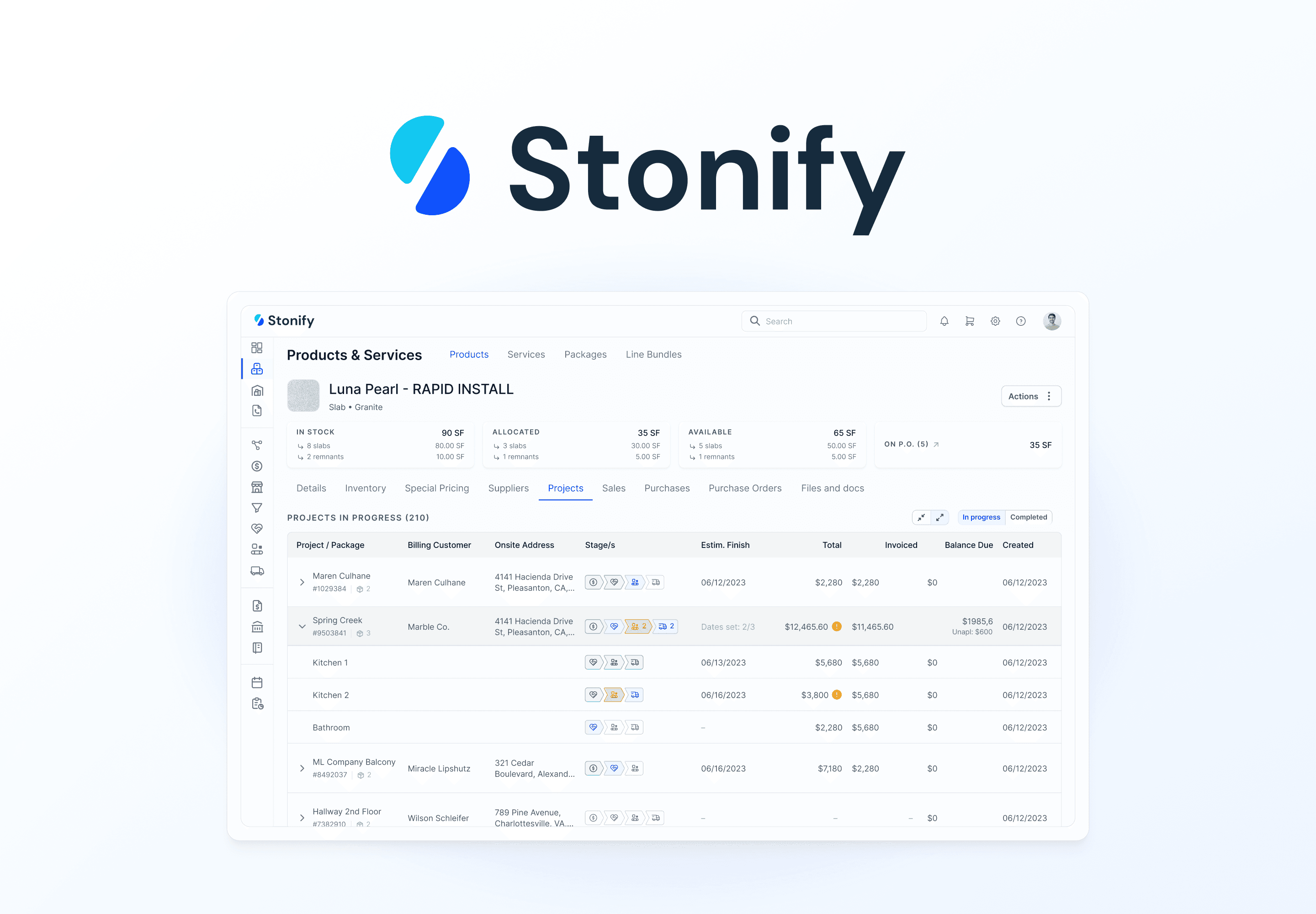
What Is Stonify? The All-in-One ERP for Stone Fabrication Shops

Modern Alternatives to Legacy Software for Stone Fabrication Companies
Why Stone Fabricators Lose Money Without Realizing It
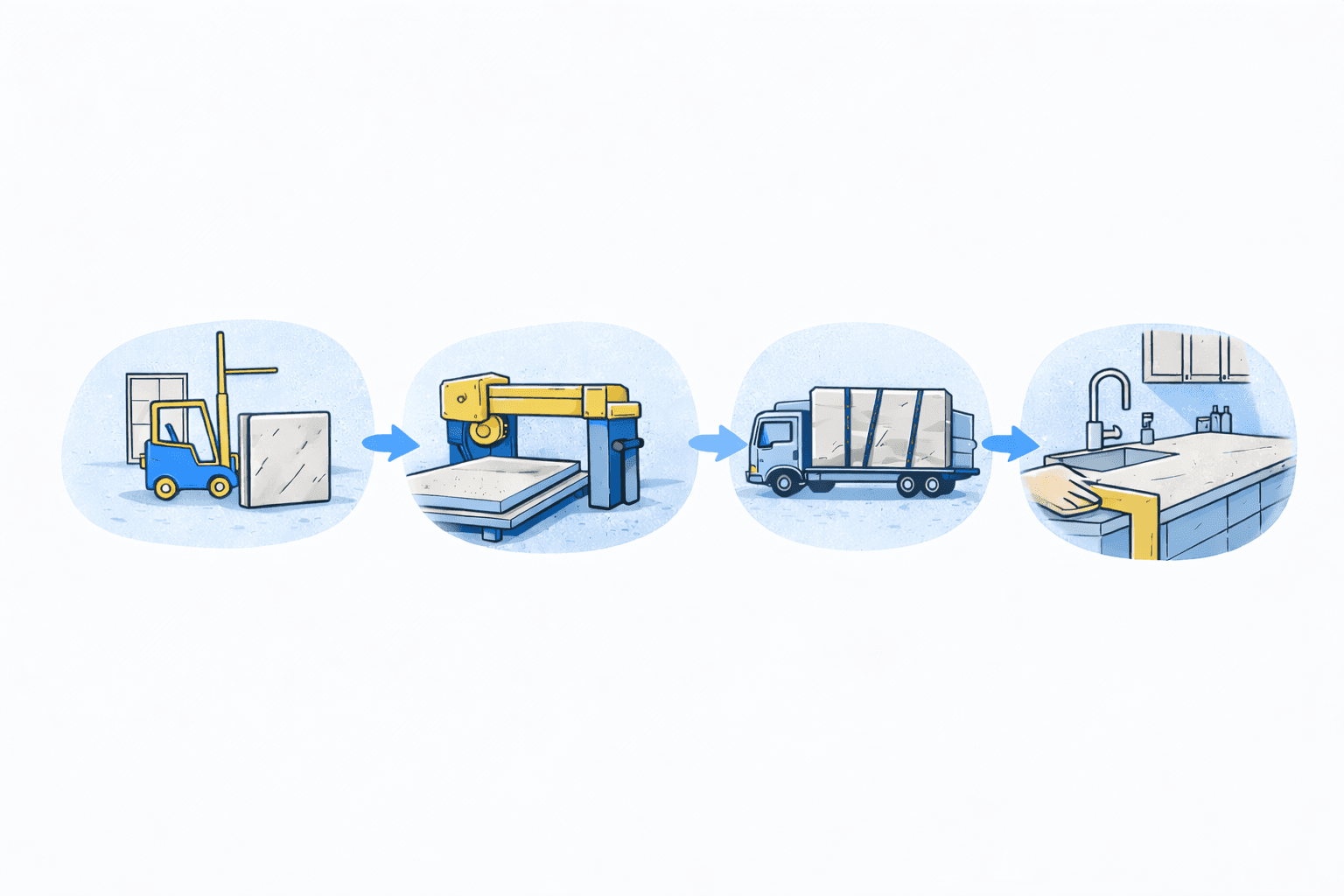
How a Stone Fabrication Shop Works: From Slab to Installation
A stone fabrication lead-to-quote workflow is a shared process for handling every sales opportunity from the first inquiry through an accepted or lost quote. A useful workflow gives each opportunity a clear stage, owner, value, next action and due date. It helps your shop find unattended leads, follow up on quotes, estimate likely work and hand accepted jobs into operations without rebuilding the information.
A homeowner requests a countertop quote on Monday. Your estimator prepares it on Tuesday and emails it that afternoon. Then nothing happens.
The salesperson thinks the owner will follow up. The owner assumes the salesperson has it covered. Two weeks later, the homeowner says they chose another fabricator.
The shop paid to attract the lead. Someone spent time reviewing measurements, selecting materials and calculating the price. The work was lost, but nobody can say whether the customer rejected the price, changed the project or simply received a faster response elsewhere.
This is not only a follow-up problem. It is a sales-process problem.
Your shop may have the same problem if:
New inquiries live in inboxes, text messages, notebooks and individual spreadsheets.
Quotes are sent without a named owner or a scheduled next action.
Old quotes remain mixed with active opportunities.
Sales stages mean different things to different people.
Managers forecast future work from memory.
Nobody records why customers choose another fabricator.
Accepted quote details must be entered again before production can begin.
When these habits continue, the shop loses more than individual jobs. Estimating time is wasted, future workload becomes harder to predict and operations receive incomplete information when a project does sell.
A lead-to-quote workflow is the process and shared record used to move a potential project from inquiry to a clear outcome. It answers six practical questions:
What opportunities are open?
Where is each opportunity in the buying process?
Who owns the next step?
What needs to happen next, and by when?
How much potential work is at each stage?
Which opportunities were won, lost or placed on hold?
The workflow should describe the customer’s progress toward a decision. It should not become a second production schedule.
Sales ends when the opportunity is won, lost or deliberately placed on hold. The production workflow begins after the customer approves the work and your shop’s requirements for starting a job have been met.
Every open opportunity should contain at least:
Customer and contact details
Project type, location and basic scope
Material preference, when known
Estimated or quoted value
Current sales stage
One responsible owner
Lead source
Date of the last contact
A specific next action and due date
Quote status
Loss reason or hold date when applicable
If one of these fields is missing, the team will usually fill the gap with memory or assumptions.
Most stone shops need only a small number of stages. Use the fewest stages that describe a meaningful change in the customer’s progress.
The exact names can match your shop’s language. What matters is that each stage has a clear entry condition and exit condition.
A smaller shop may combine “scope being completed” with “estimate in progress.” A shop serving builders, designers and retail customers may need different qualification questions for each customer type.
Avoid stages such as “working on it” or “warm lead.” They do not tell another person what has happened or what must happen next.
The stage “quote sent” also needs special care. Sending a quote is an activity, not a customer decision. A quote should never sit there without a next action, such as:
Call the customer on Thursday to answer questions.
Confirm whether the selected slab is still available.
Ask the builder for the revised plan by Friday.
Follow up after the customer’s cabinet installation date.
The best sales workflow is not the one with the most fields. It is the one your team can understand, update and trust.
Write one observable condition that moves an opportunity out of each stage. For example, “contacted” should mean that a real two-way conversation happened, not that someone left a voicemail.
Clear exit rules prevent salespeople from interpreting stages differently. They also make stage conversion reports more useful.
List the minimum inputs your estimator needs. These might include rough dimensions, edge profile, sink type, material, project address and drawings.
Do not force the estimator to chase information that sales could collect during qualification. At the same time, do not make the inquiry form so demanding that a serious customer gives up before making contact.
Several people may help with a sale, but one person must own the next step. Shared responsibility often becomes no responsibility.
Ownership should remain visible when an estimator, manager or purchasing employee joins the conversation. If ownership changes, record the change instead of relying on a verbal handoff.
An open opportunity without a next action is already at risk. “Follow up” is too vague. Record what the owner will do and when it will happen.
The next action may depend on the customer. For example, “Check for the revised cabinet drawing on September 15” is still a valid task. It tells the team why the opportunity is waiting and when to review it.
A stale opportunity is not simply an old one. A complex builder project may legitimately stay open longer than a small residential replacement.
Use the agreed next-action date as the main signal. You can also set review windows by stage or customer type. The rule should help the team find neglected work, not punish reasonable sales cycles.
A focused review can take 20 to 30 minutes. Start with overdue actions and stale quotes, then discuss high-value opportunities, blocked estimates and recently lost work.
Do not read every record aloud. The purpose is to make decisions:
Assign or change the next action.
Resolve missing information.
Ask for management help.
Close dead opportunities.
Correct the expected value or timing.
Prepare won work for operations.
Winning the job should not trigger a search through emails and paper notes. Define what operations must receive before the project enters scheduling.
A practical handoff may include the approved quote, signed documents, required deposit, final scope, chosen material, measurement status, customer commitments and important site notes.
Keep sales and production statuses separate. “Quote accepted” explains the commercial outcome. “Template scheduled” explains the operational state. Combining them makes both workflows harder to read.
Close lost opportunities instead of leaving them open forever. Use a short, consistent set of loss reasons, such as price, timing, no response, project cancelled, material unavailable, competitor selected or poor fit.
Choose “unknown” when you genuinely do not know. False precision is worse than an honest gap. If the customer may return later, close or hold the opportunity according to a defined rule and add a review date.
Start with metrics that help your team make a decision. More reporting does not automatically create more control.
Formula: time of first meaningful response minus time the inquiry was received.
Use this to find leads that wait too long for attention. Measure business hours separately if your shop receives requests overnight or on weekends.
Formula: time the quote was sent minus time the required scope became ready.
Starting the clock when the inquiry arrives can unfairly blame estimating for missing customer information. Record when the scope becomes ready so the measurement reflects the process you control.
Formula: accepted quotes divided by quotes sent, multiplied by 100.
Measure a consistent group of quotes. For example, follow all quotes sent in July until they receive an outcome. Do not casually divide this month’s wins by this month’s sent quotes if many decisions cross month boundaries.
Formula: won opportunities divided by total inquiries, multiplied by 100.
This broader measure includes lead quality and qualification. Compare it by lead source or customer type when you have enough data to make the comparison meaningful.
Formula: won date minus inquiry date.
Use the median as well as the average. A few long builder projects can distort the average and hide the normal retail sales cycle.
Open opportunity value is the total estimated value of active opportunities. Stale opportunity value is the portion attached to overdue or neglected opportunities.
Open opportunity value is not booked revenue. It becomes more useful when you view it by stage, expected decision period and customer type.
Stage conversion shows where opportunities stop progressing. Loss reasons help explain why.
If many qualified projects never reach a sent quote, the problem may sit in information collection or estimating capacity. If many quotes reach a decision but lose on timing, the shop may need to examine response speed, material availability or promised installation dates.
There is no universal “good” conversion rate for every fabricator. Project mix, lead source, price point and the definition of a qualified lead all affect the result. Establish your own baseline, then compare like with like.
Consider a hypothetical shop reviewing one group of opportunities:
60 inquiries entered the sales workflow.
48 met the shop’s qualification rules.
42 received a quote.
14 accepted the quote.
The average accepted project value was $7,500.
10 quotes remained open with a combined value of $82,000.
Four of those open quotes were stale and represented $31,000.
The quote acceptance rate is:
14 accepted quotes / 42 quotes sent × 100 = 33.3%
The lead-to-win rate is:
14 won opportunities / 60 inquiries × 100 = 23.3%
Booked sales from the accepted quotes equal:
14 accepted quotes × $7,500 = $105,000
These figures are an example, not an industry benchmark. They also describe sales, not profit. To estimate gross profit, the shop would need reliable material, labor, fabrication and other direct-cost data.
The most useful finding may be the $31,000 in stale quotes. The manager can inspect those four opportunities, confirm whether they are still real and assign a specific action. Simply reporting the full $82,000 as future revenue would create false confidence.
You do not need perfect data to improve the process. A healthy workflow has a few visible behaviors:
Every active opportunity has one owner.
Every active opportunity has a specific next action and date.
Stages reflect customer progress and have clear exit rules.
Overdue and stale opportunities are easy to find.
The team records lost work and reviews the reasons.
Sales reports can be reproduced without rebuilding a spreadsheet.
Accepted quote information passes into operations without repeated entry.
A salesperson can quickly explain what needs attention today.
If your team cannot answer those questions, simplify the process before adding more reports.
Stonify connects the commercial process with the operational information a stone shop needs after the sale.
Stonify calls its actual product feature Sales Pipeline. According to Stonify’s Sales Pipeline release notes, the feature shows how much potential business sits in each stage and helps users identify stale leads and quotes. Access can also be controlled through permissions.
Stonify’s Quoting and Estimating workflow brings customer, material, pricing and job details into the quote. The page also explains that approved quote data can populate scheduling, inventory and accounting workflows without manual re-entry.
That connection matters because the sales workflow should not end in an administrative gap. When a customer approves the work, the information already collected during sales should help the operations team start with a clear scope.
Stonify is most relevant when your shop needs a shared sales process and wants quoting connected with the rest of the business. A very small shop with low lead volume may manage successfully in a disciplined spreadsheet. The important requirements remain the same: clear stages, ownership, next actions and a reliable handoff.
Software will not repair weak qualification, unclear pricing or poor customer conversations on its own. Your team still needs agreed rules and consistent use. During a product demonstration, ask which stages, filters, follow-up tools and permissions are currently available in Stonify’s Sales Pipeline. Do not assume it follows a generic CRM setup.
Five to eight stages are usually enough to show meaningful customer progress without creating unnecessary administration. The right number is the smallest set that gives your team clear ownership and useful reporting.
No. The lead-to-quote workflow follows an opportunity from inquiry to won, lost or on hold. The production workflow follows an accepted job through steps such as measure, templating, fabrication, delivery and installation.
Mark it for review when its agreed next action is overdue or when it has exceeded the normal response window for its stage and customer type. A stale flag should prompt a decision, not automatically declare the opportunity lost.
Update an opportunity whenever a meaningful customer event occurs. Sales owners should also check overdue actions daily, while the team reviews open opportunities weekly.
Yes, especially for one salesperson and a low volume of inquiries. It must still contain consistent stages, one owner, a next action and a due date. A dedicated system becomes more valuable when several people collaborate or when sales data must flow into quoting and operations.
Use open opportunities for capacity planning only when they are clearly marked as tentative. Do not treat a projected sale as committed work. Move the job into the live production workflow after the customer and shop meet the agreed approval requirements.
If leads and quotes are spread across different tools, it is difficult to know which opportunities need attention and what work may be coming next.
Book a Stonify demo to see the current Sales Pipeline feature, including how Stonify organizes potential business by stage and identifies stale leads and quotes. You can also see how approved quote details carry into scheduling and operations, reducing the need to rebuild the job after the sale.
Book a demo to see how Stonify can reduce costs at your shop.