Release Notes v0.6.21 (Sales Pipeline, Smarter SKU Management)
Sales Pipeline
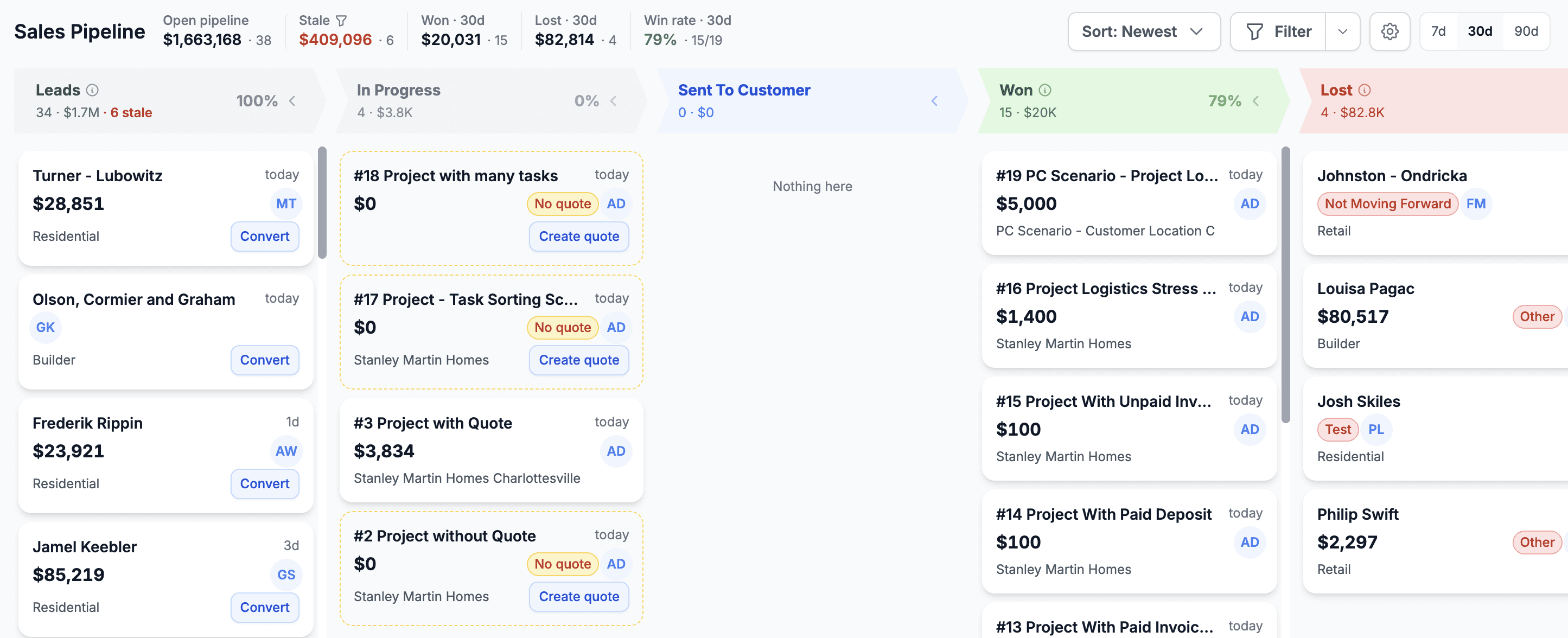
Added a new Sales Pipeline module showing how much business you have in each stage before a deal is closed, as well as stale Leads and Quotes. A new permission has been added for this module, so only users with that permission can access it.
SKUs
Added the ability to bulk add and remove SKU characteristics. The system automatically multiplies or divides the existing SKU combinations. For example, if you have slab SKUs with 2cm and 3cm thicknesses and add a new Polish characteristic (Leathered/Honed), the system automatically creates all four combinations (in this example 4). This makes it easy to manage SKUs and add or remove characteristics across all existing variations.
Project
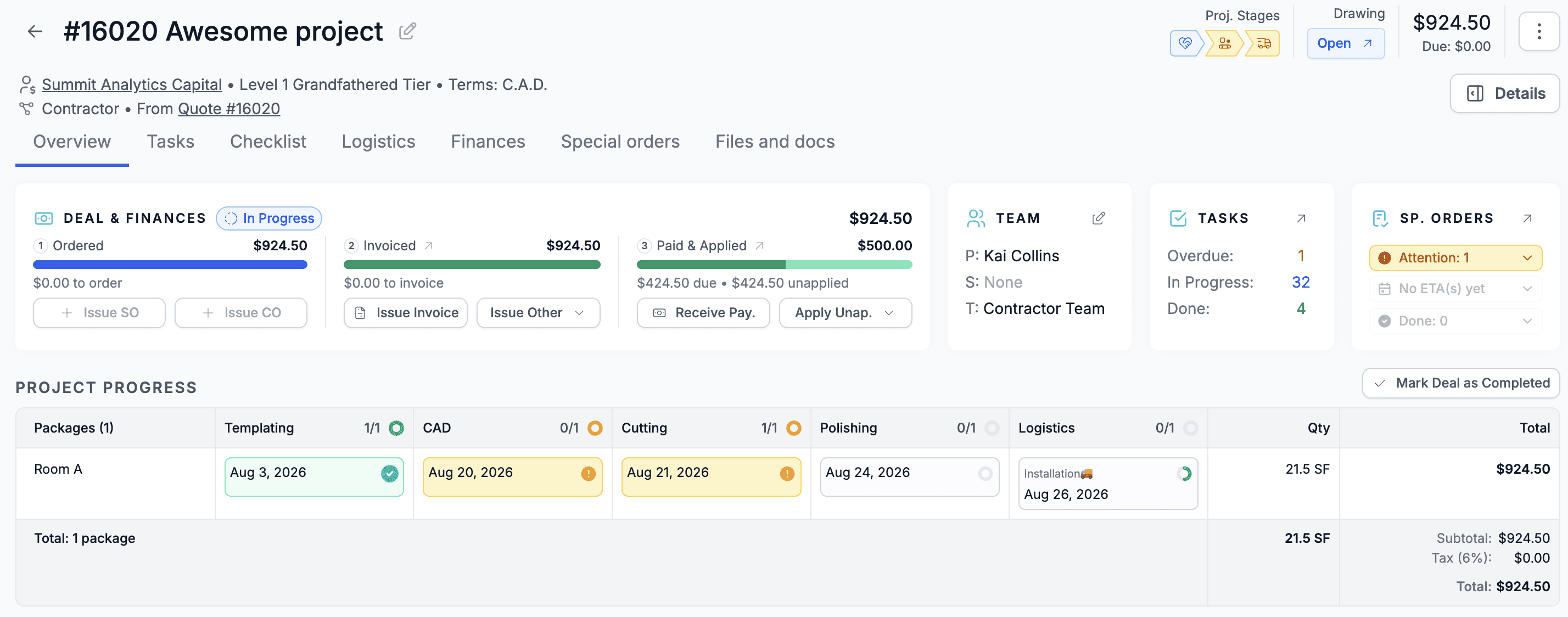
You will notice another design iteration for the Project detail. We removed the Deal tab, and all the important information is now available directly in the Overview. We also added a quick summary for Special Orders and an easy way to see the Ordered, Invoiced, and Paid status.
Drawing
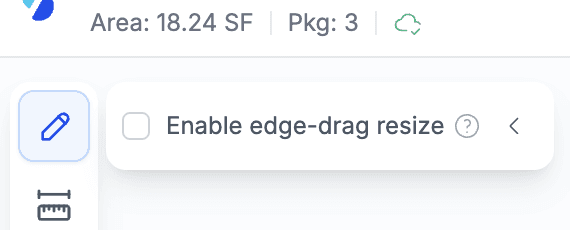
Added an option to disable automatic shape resizing when hovering over a shape. This is now the default behavior and makes the experience better suited for drawing high-level shapes (such as rectangles or L-shapes) and editing their dimensions, rather than unintentionally changing the shape itself (for example, turning an L-shape into a U-shape). This also makes working with small shapes easier, as users no longer need to zoom in to modify them.
You can find this option in the Settings or in the drawing canvas by clicking the pencil icon in the top-left corner.
Allocating existing slabs in the layout section of the drawing is now just one click.
Rollups
Added an option to mark a line in a Rollup as the main line. When a main line is selected, its quantity is displayed instead of 1 EA. This allows you to roll up multiple lines while showing a meaningful quantity, such as 30 SF, to the customer.
Customers
Added support for managing default discounts through Bulk Edit and Filters. This makes it easy to find customers with specific default discounts or assign discounts to multiple customers at once.
Calculators
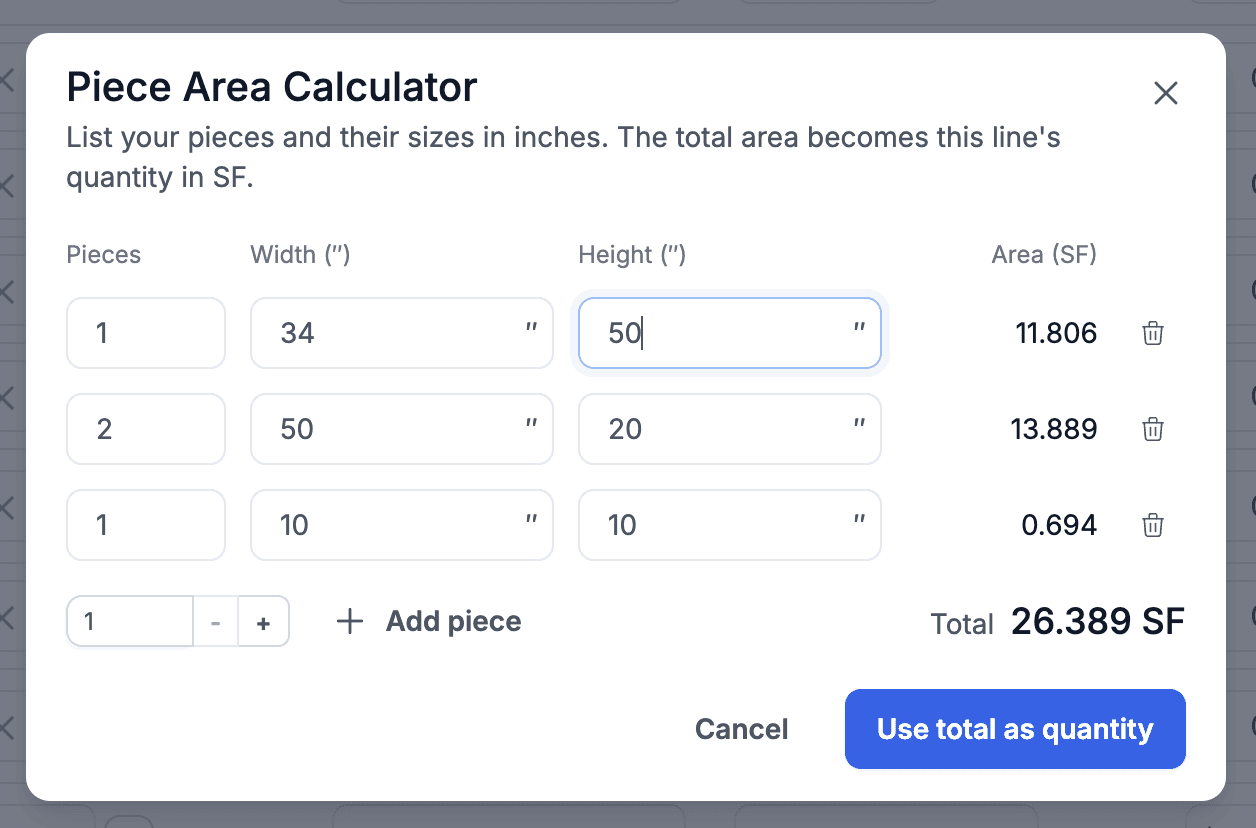
Added a new Piece Area Calculator and renamed the settings section to Settings > Quote > Calculators. This calculator allows you to calculate the quantity for rectangular product types by entering the number of pieces and their dimensions. It provides a simple alternative to the Drawing module for quantity calculations, although Drawing remains the more powerful option.
Calendar
Added a quick switch between Monthly and Weekly calendar views.
User Preferences
Added a new preference to open project details with all packages collapsed by default.