Release Notes v0.6.29 (Business Benchmark Report, Sales Tax Zones, Smarter Drawing Validation)
Reports
Added a new Business Benchmark report. This report is tailored to leadership and provides statistics such as EBITDA, Revenue per SF, Revenue per Employee, Average Customer Payment Time, etc.

Customers
Added a Default Project Type option. This is preselected as the Project Type when a customer is selected as the Billing Customer. For example, this gives you an easy way to classify customers as Builders, always have that Project Type preselected, and filter by that field.
Drawing
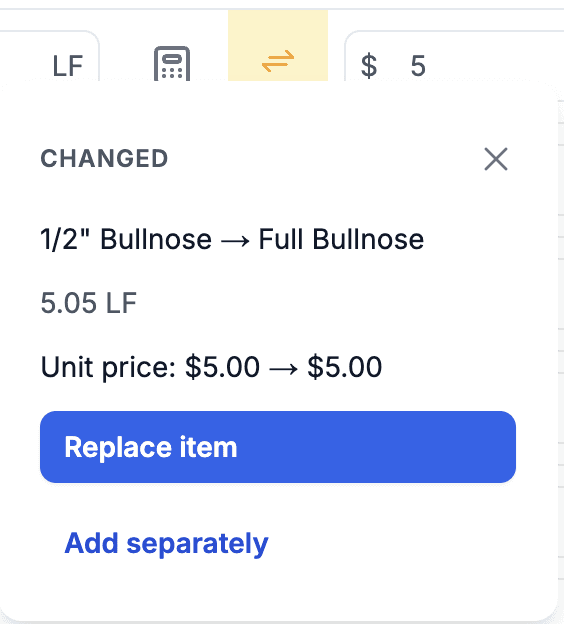
Improved the smart checking between the generated Quote and the Drawing. It now recognizes when elements such as edges are swapped instead of showing the new edge as missing. It also recognizes when elements have been deleted and suggests that type of mismatch.

Text elements can now be assigned to a Package. They automatically pick up the Package of the closest shape. This allows you to generate correct Quotes when Drawings are attached per Package instead of having one large Drawing at the end. Text can also be rotated.
Added a new Document Template called Quote Alternatives Summary. This document shows all Quote Alternatives for a Project.
To modify the look, just edit the document (e.g., which services are classified as edges).
Twilio
It is now possible to create Messaging Templates. If you notice that you send the same or similar message repeatedly, you can create a template and send it with one click.
Logistics
The Logistics App now supports messaging through Twilio if the user has permission to send messages.

Sales Tax
Added a new Sales Tax setup called Tax Zones. This is an improvement over the Manual setup, which may become obsolete at some point.
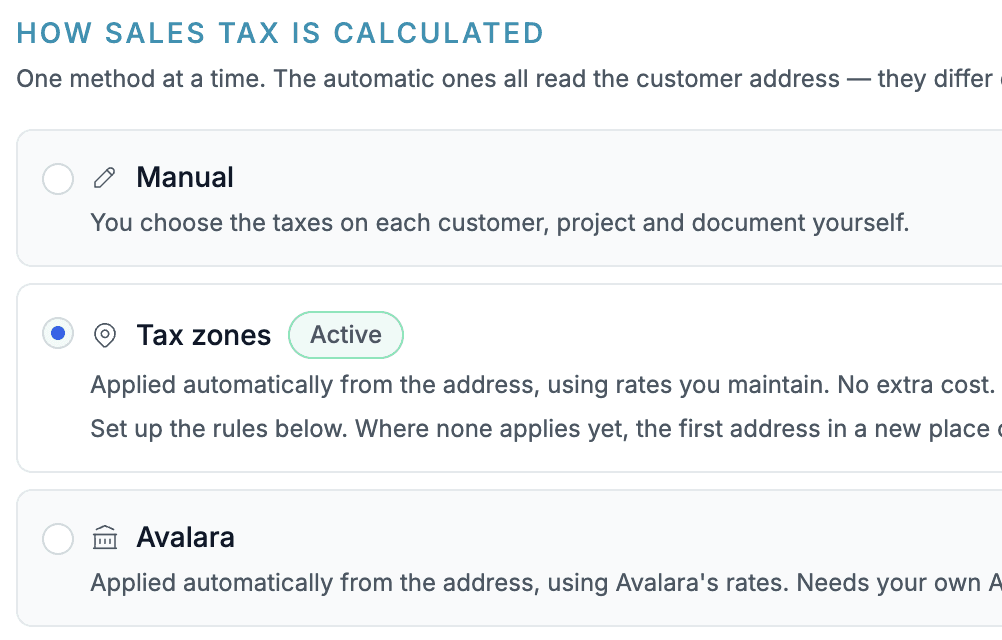
This new setting allows you to manually define State, County, or City taxes, and your Projects will pick them up automatically. It's a hybrid setup between the Avalara integration and the Manual setup.
To get started, add Tax Zone rules. You can either add the State/County manually or, preferably, use the address search, which will automatically identify the State, County, and City.

You can configure the system to always ask when there is a Project in a new location. If your State's Sales Tax system is simple, you don't need this and can simply set up the State tax (and possibly a few County/City taxes).


Chart of Accounts
You can now switch to a different Chart of Account from the detail. Click the account name and select a different one.