Release Notes v0.6.23 (Slab Allocation by Package, Pricing Overrides by Tier, Default Deposits)
Finance
It is possible to set up a default deposit percentage in Payment Terms. For example, the screenshot below shows Payment Terms requiring a 50% deposit, with the remaining balance due 30 days after the invoice is issued.

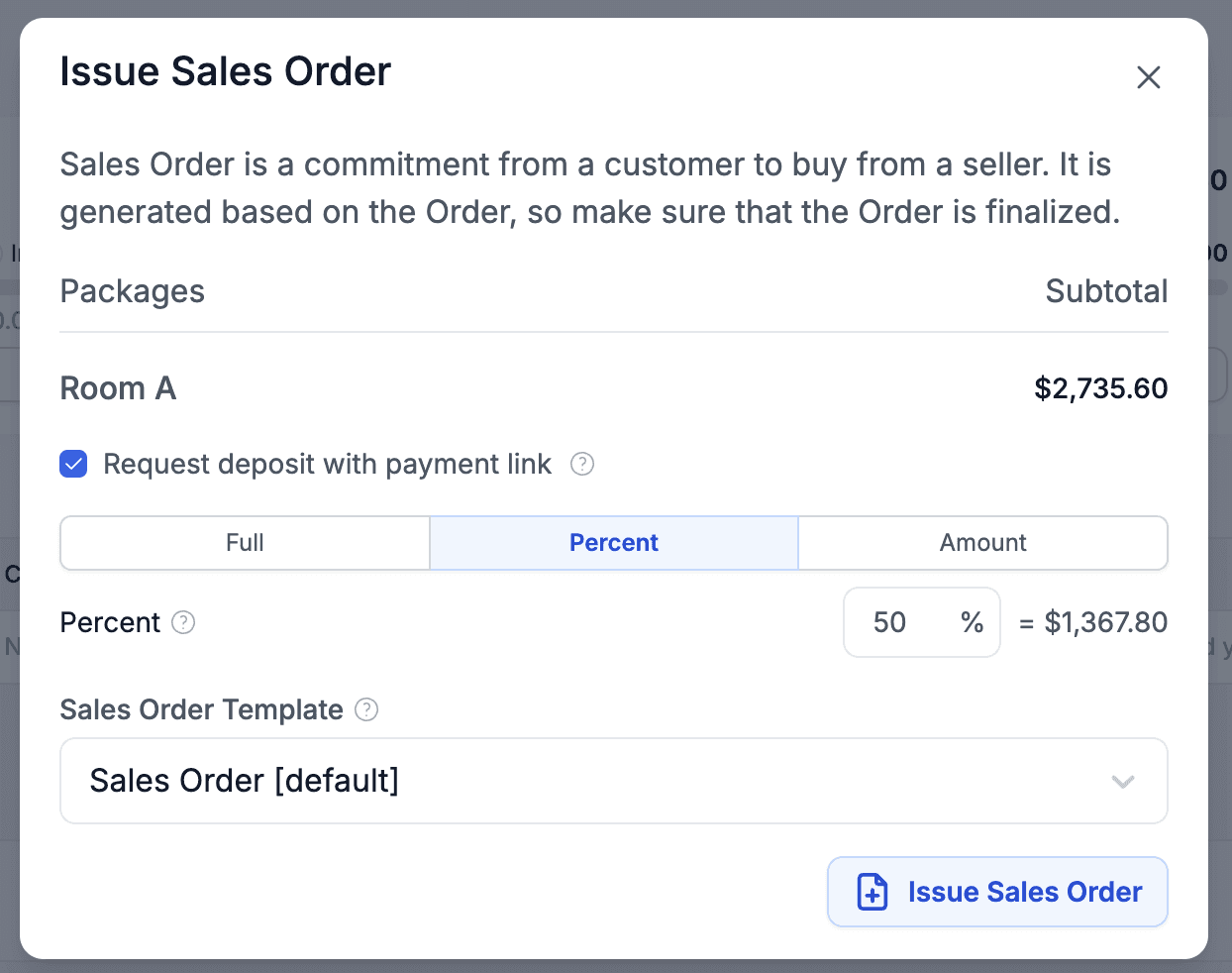
Sales Orders and Change Orders can now contain a payment link/QR code if you have Stripe or Nuvei activated. When issuing an SO, you will have an option to include the payment link (the default is based on your document setup). If enabled and the Payment Terms have a default deposit percentage, that percentage is automatically pre-filled, resulting in the setup shown in the screenshot below.
Drawing
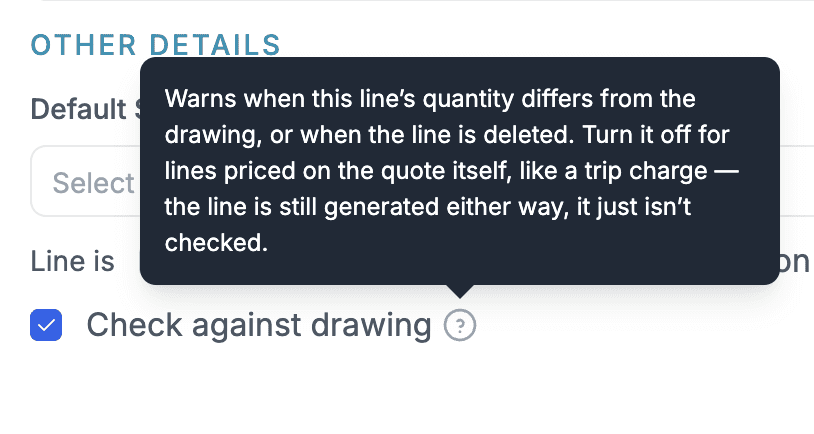
Added an option for generated lines not to be checked against the Drawing once they are generated. This allows you to add lines where you don't know whether they will be included in the final Quote (e.g. a salesperson will decide whether to include a trip charge), or where the final quantity is unknown and will be set when the Quote is being created.
To enable this, simply unselect Check Against Drawing in the generated line options.
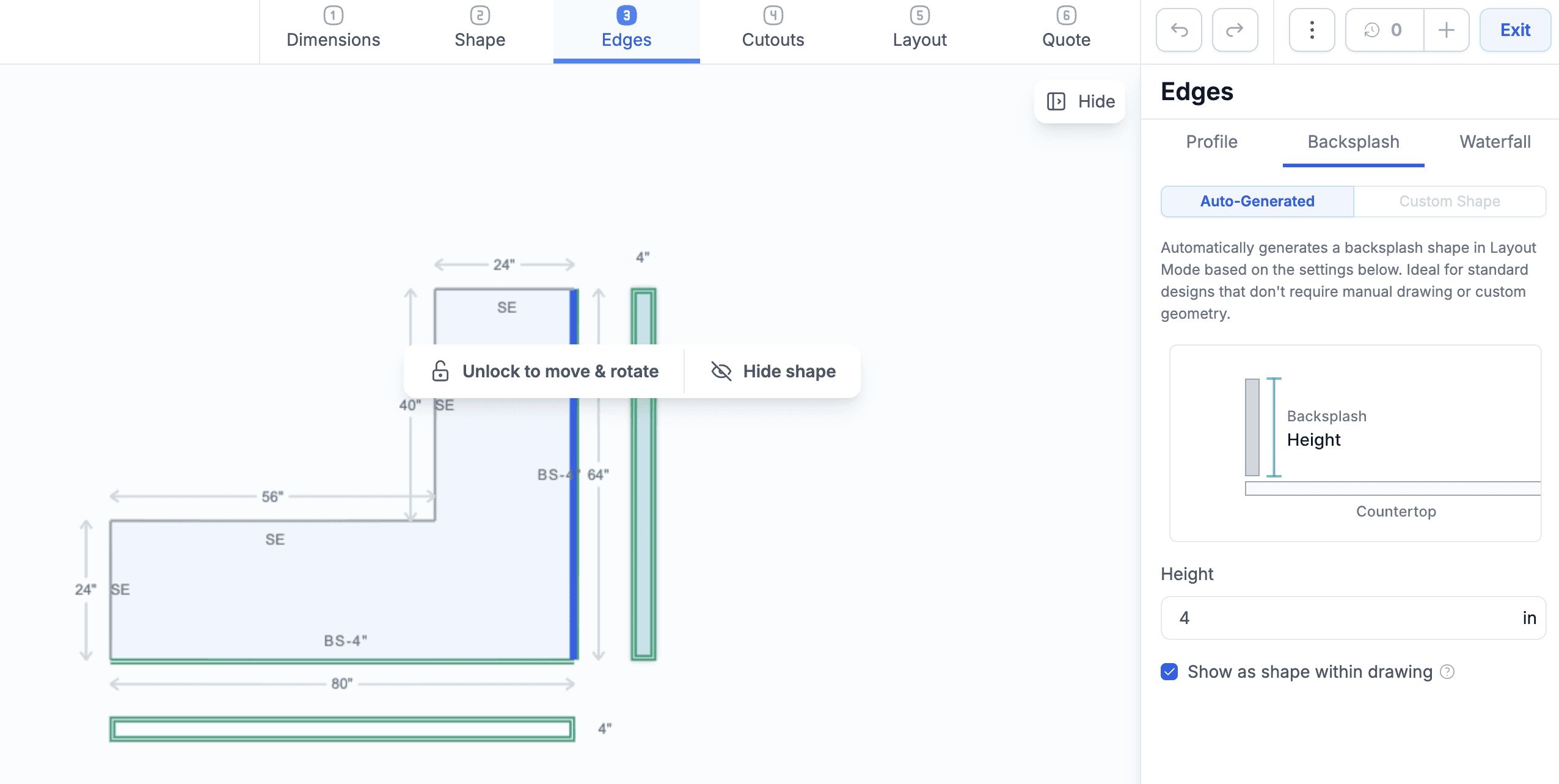
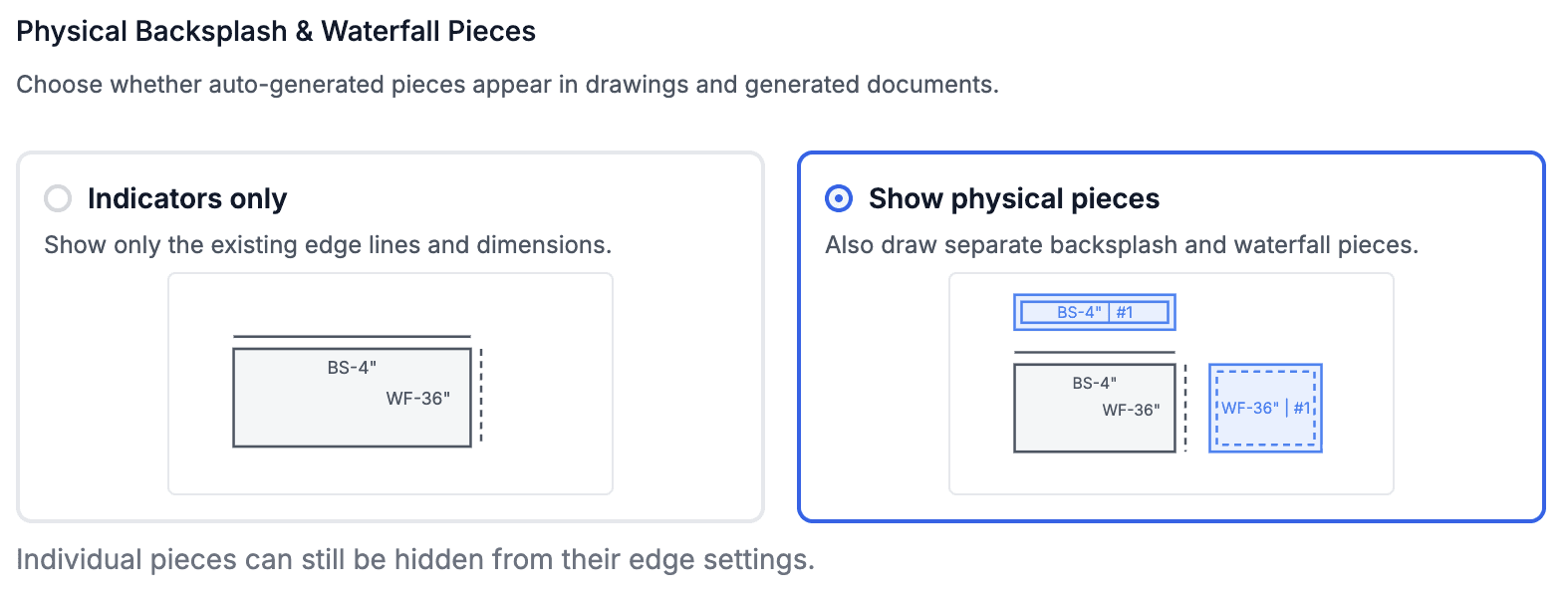
Added an option to see waterfalls and backsplashes in the Drawing. This is enabled by default but can be turned off in the settings. Individual pieces can be marked as hidden, unlocked and moved around, or resized directly in the Drawing.
Added a new option to allocate slabs to specific packages instead of just the Quote itself. When pricing by slabs, the quantity of all slabs is normally allocated to the first line with that material. You can now have more flexibility and, for example, allocate 2 slabs to Package A and 1 slab to Package B. This can get complicated when pieces from multiple packages are distributed across multiple slabs, as it may not be obvious which package a slab containing pieces from Packages 1, 2, and 3 should belong to.
The Auto-Assign Pkg button solves this by assigning each slab to a package in the most logical way. We will improve this behavior to run automatically in the background, so eventually there should be no need to click the button, but it is available for now.

This option is currently enabled only for Quotes. Deals keep the current behavior where each inventory item is assigned to a specific line within a package.
Pricing
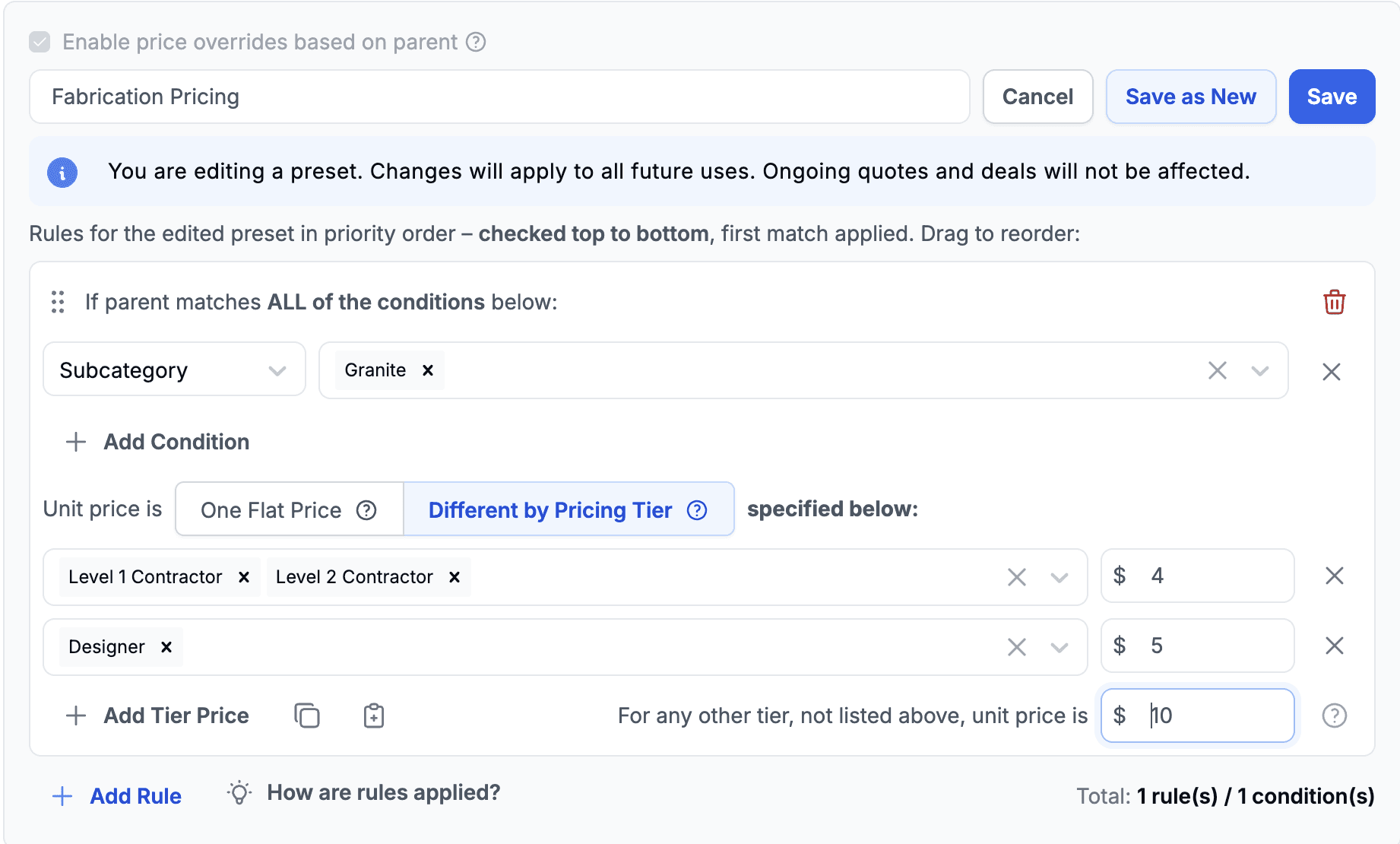
Price Override Based on Parent can now define prices per Pricing Tier. The simple mode, where one price is used for all tiers, is still available. Select the Pricing Tier option and define a different price for each tier.
The example below shows the Fabrication service for Granite priced at $4 for Contractors, $5 for Designers, and $10 for any other tier.
Expenses
It is now possible to upload Expenses from an Excel file. Click Import from Excel to open the upload modal, where you can also download example and empty template files.
Calculator
The Quantity Calculator was improved so you can configure which Products and Services it is available for. It will automatically show either Area or Perimeter mode based on the Unit of Measure.
Reports
Added a Sales & Change Order Activity report, where you can see Sales Orders and Change Orders for a selected period.