Release Notes v0.6.20 (Quote Alternatives, Barcode Designer & PO Calendar)
Project
We're continuing with the project redesign. You will notice a new left menu containing all project information. You can pin this menu to keep it always visible or hide it. The intention is to keep it hidden by default and reveal it only when needed using the Show More button beneath the project name.
We also removed the Quotes tab from the project since, at that point, it is no longer such prominent information. You can always navigate back to the quote used to create the project from the top header.
Quotes
You will notice that you can now immediately see alternatives to the quote you created instead of switching back to the Project > Quotes tab. When you have multiple quotes for a customer, one must be marked as the Main quote (you can change this from the Actions menu). The main quote is used everywhere quotes are aggregated and displayed (such as reports, lists, and custom project views) to ensure alternative quotes are not double-counted.
For all existing quotes, we automatically selected the last quote created as the main one, or the quote that was used to create a deal.
It is now possible to create alternative quotes and compare them. This is currently available only through Drawing (see the next section) but will be expanded later.
Drawing
Added support for generating Drawing Quote Alternatives. The first version is now available. Click the Alternative button to quickly swap materials, edges, and other properties to create an alternative.
Added the ability to compare multiple drawing alternatives. (Non-drawing quotes are currently skipped.) You can choose any alternative quote to be the main one, either from the Actions menu or from the comparison window.
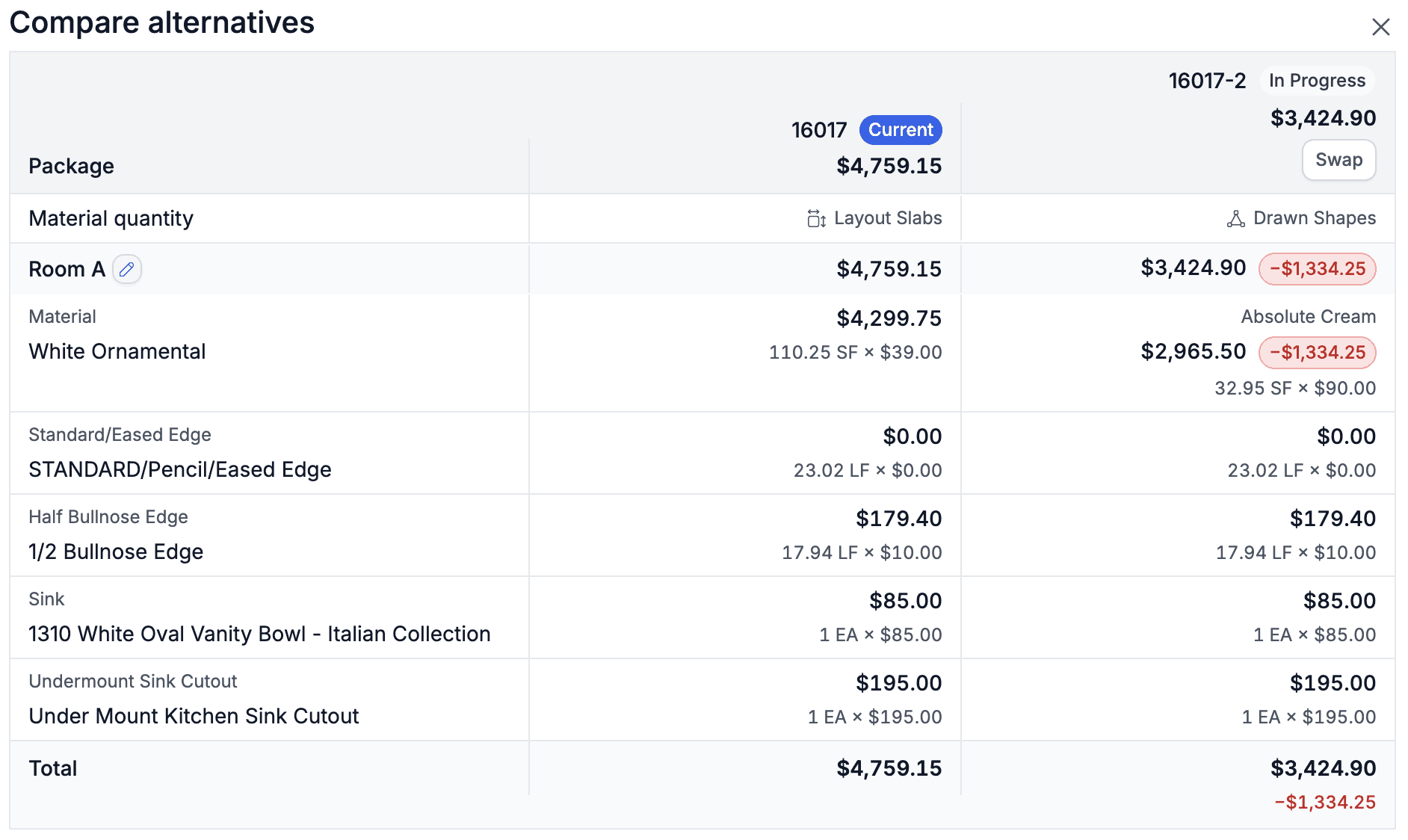
This is the first version released for testing. We will continue improving the design and add options to regenerate alternatives.
Seam distance can now be adjusted manually either by clicking the distance value after placing a seam or while moving the seam.
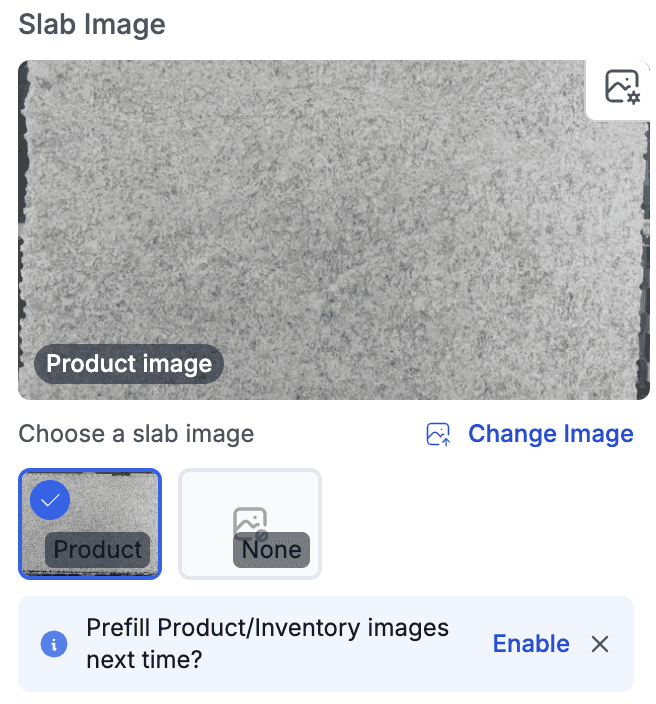
Improved image handling in the Layout step. Images are automatically pulled from the main product or the selected inventory item. You can also quickly switch between inventory images if multiple images are available for the same piece.
Inventory
Added an advanced barcode editor in Settings. You can fully customize barcodes, create multiple variations, and use dynamic fields such as Project, so the project number is printed when the inventory is allocated to a project.
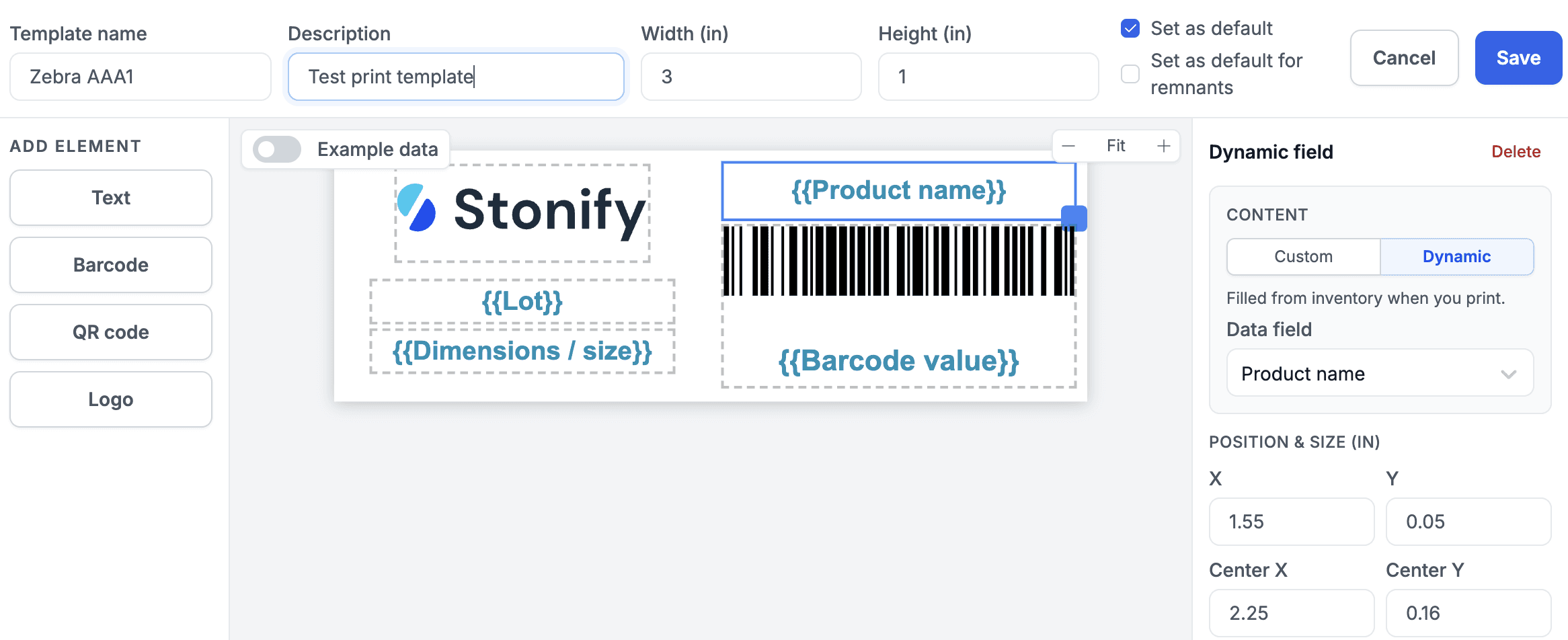
Barcode printing now includes an option to manually change any barcode. You should not need this in 99% of cases, but it is available for specific exceptions.
The Product Settings Management permission is required to edit barcode templates.
Purchase Orders
Added a calendar view for Purchase Orders. The ETA is now surfaced more prominently. Although ETA is a property of a shipment rather than a Purchase Order, most Purchase Orders have a single shipment, so this has been optimized into a one-click experience with the ETA always visible at the top of the Purchase Order.
Live Inventory
Added support for marking inventory items as favorites.
Emails
Added a global CC field to My Company settings. When filled in, it is automatically pre-filled on every email.