Release Notes v0.6.19 (Auto Vein Matching & Monthly Calendar)
Drawing
Added a proprietary vein matching algorithm for Auto Nest. You can choose whether to enable vein matching and whether shapes are allowed to rotate.
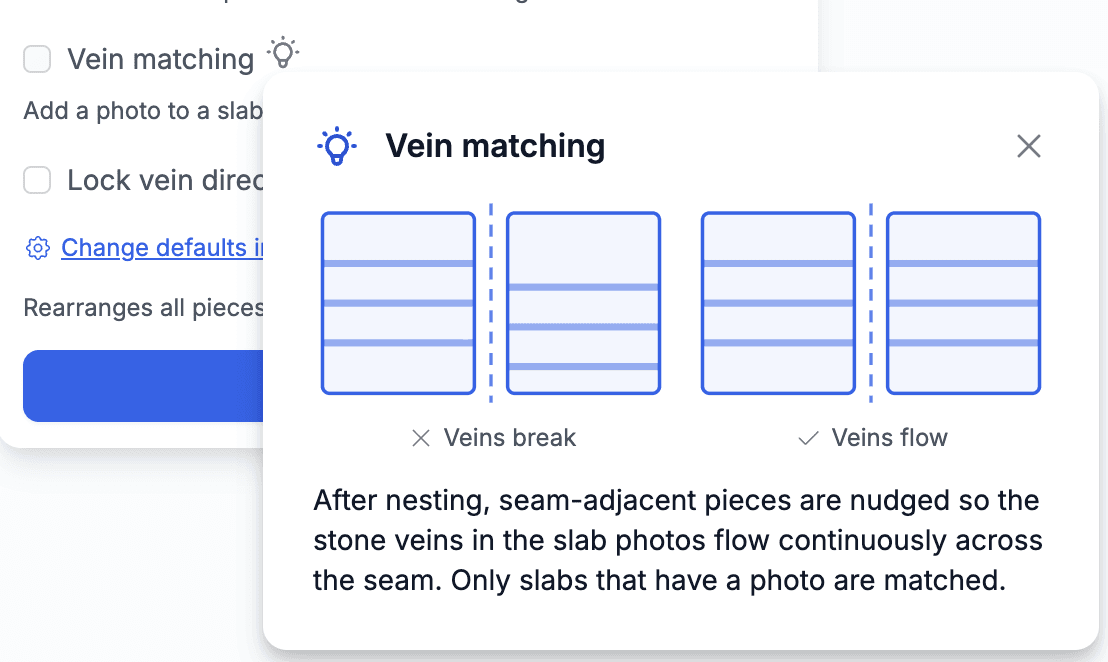
The example below show the result with vein matching turned on.
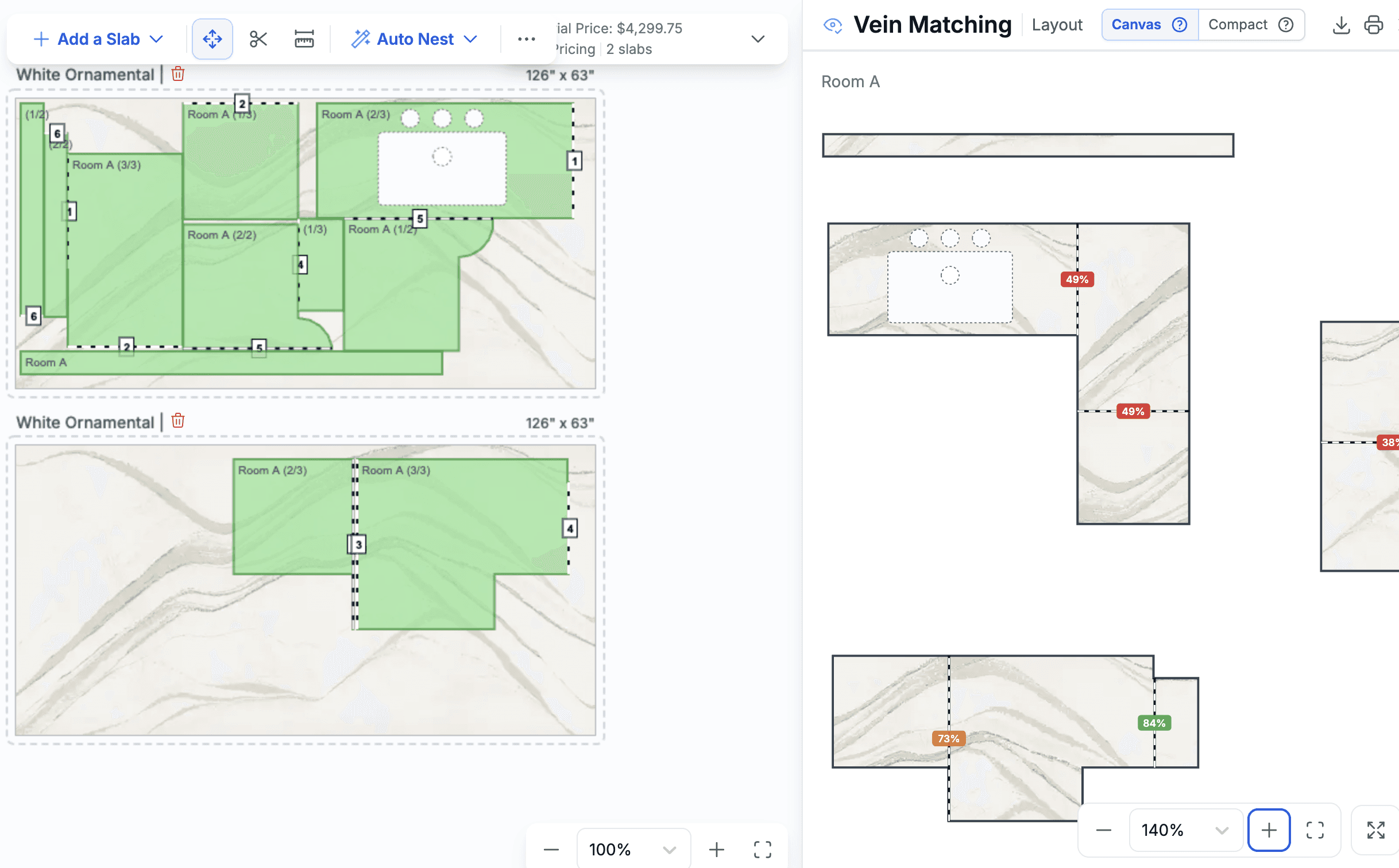
To achieve the best vein match, lock the vein direction. However, this may cause long pieces not to fit on the slab. In that case, you can allow only those pieces to rotate. Otherwise, pieces that do not fit are placed next to the slab.
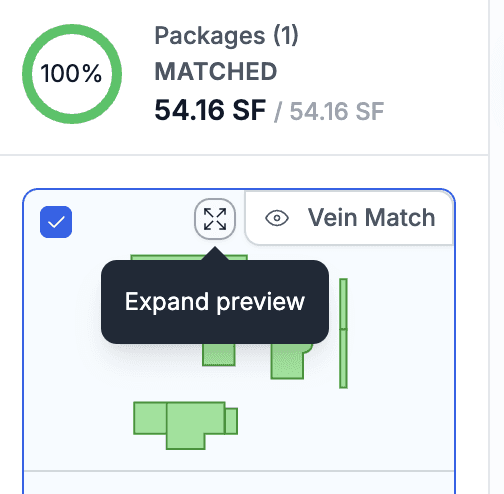
The package list in the left panel now includes an Expand button that opens a side panel showing all shapes at a larger scale. This makes it easier to move shapes between packages, especially in larger projects where the preview thumbnails are too small.
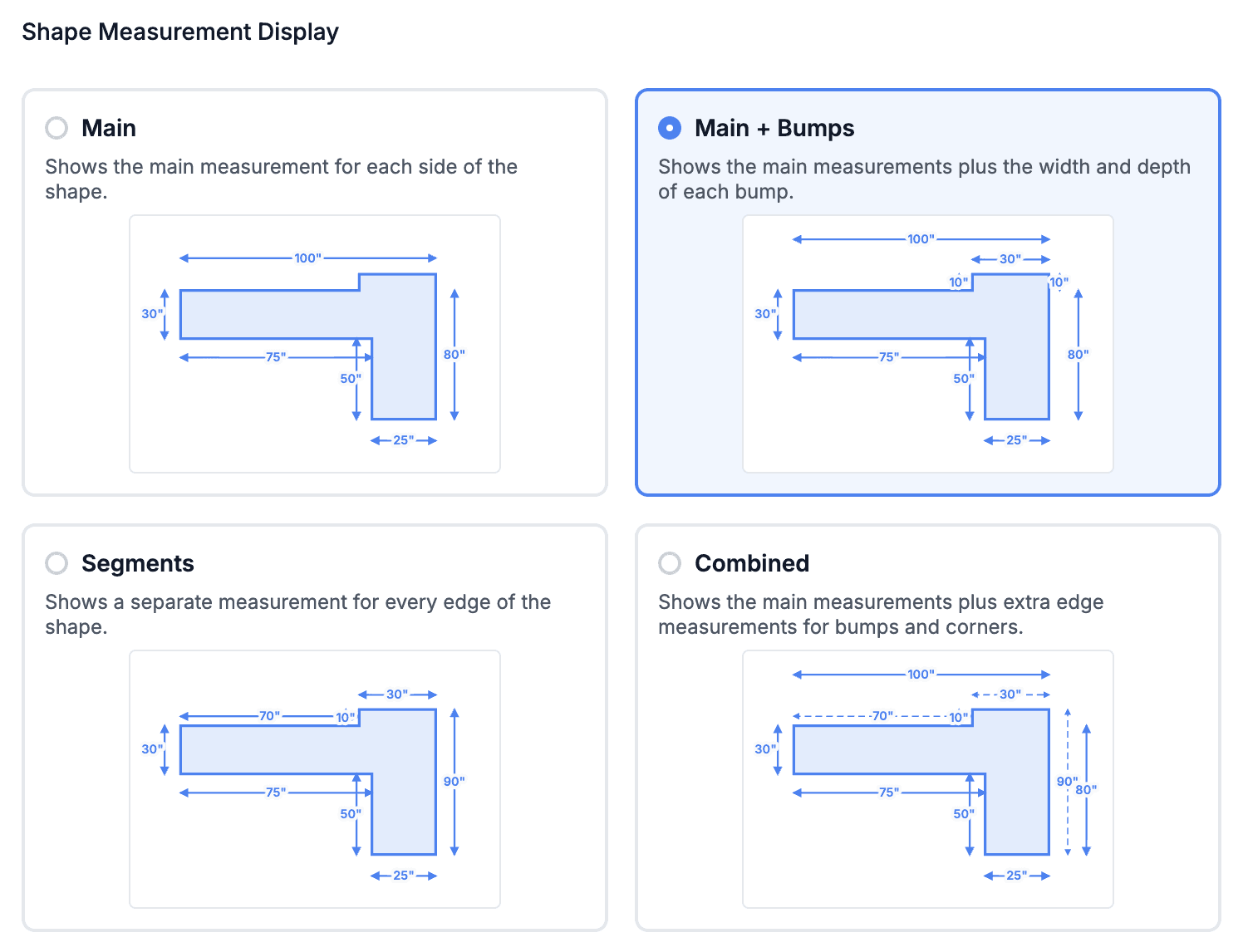
Added a new Drawing setting to control how measurement arrows are displayed next to shapes. Try the available options and choose the style you prefer.
Reviewed and fixed drawing issues on touch devices. Drawing should now work correctly on tablets. If you encounter any issues, please report a bug.
Drawing now supports the metric system. To switch from imperial units, go to Drawing Settings > General.
Drawing Auto Rollup can now be configured to choose which system-generated lines (Material, Edge, Backsplash, etc.) are included in the rollup. Configure this in Drawing Settings > General.

Inventory
When transforming inventory in a project, you can now attach a photo of the remnant directly as part of the transformation.
Calendar
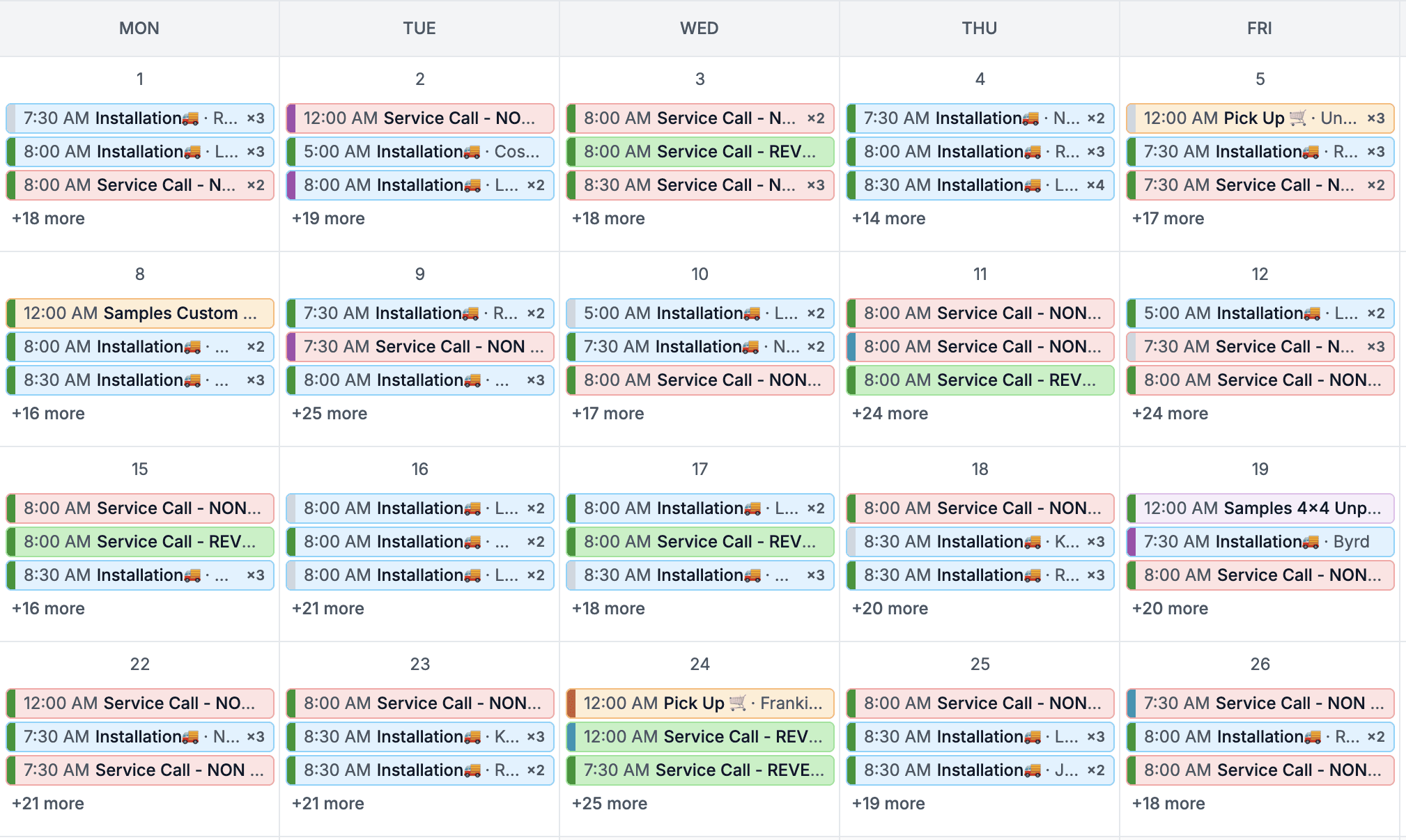
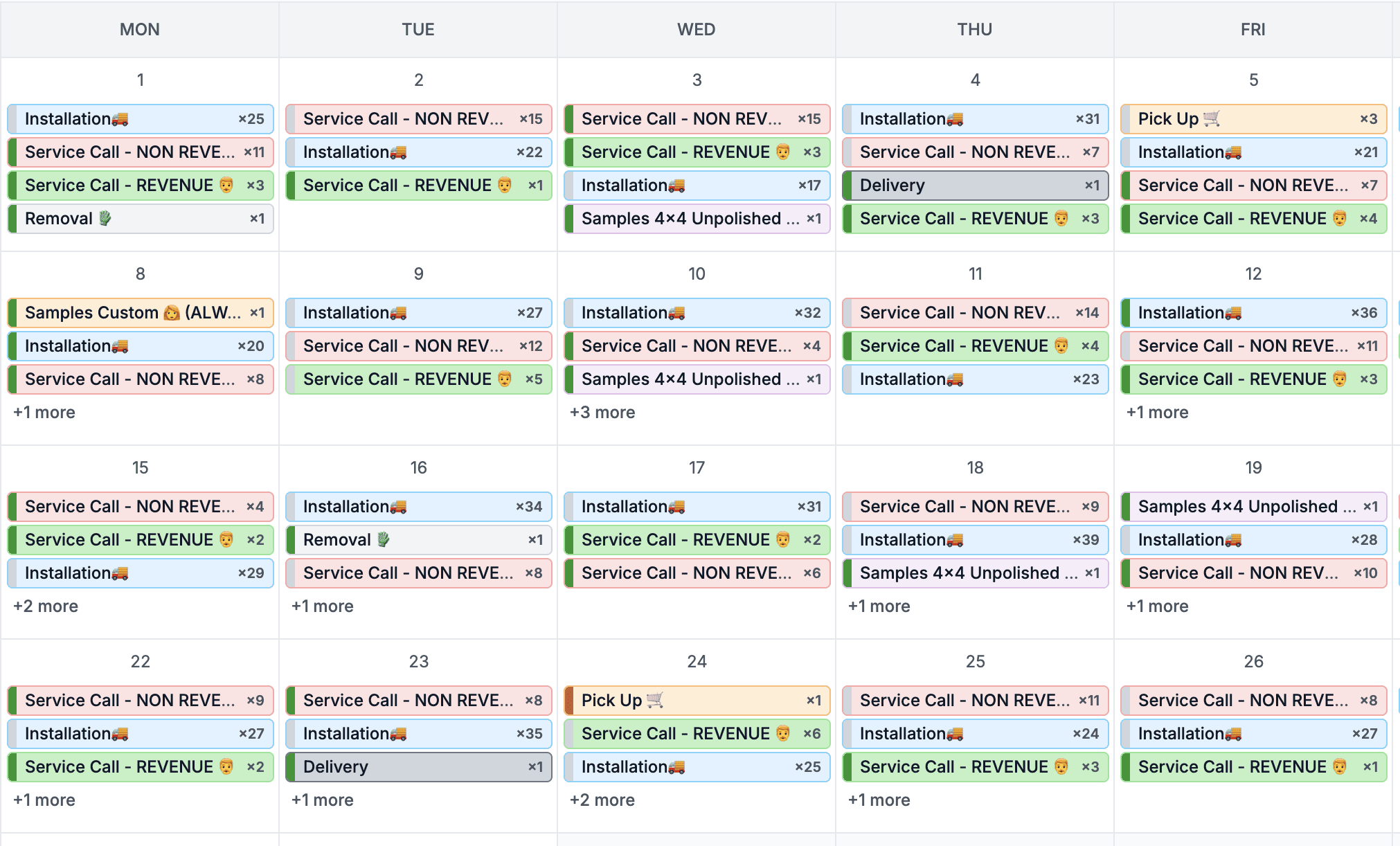
Added a Monthly Calendar view. You can choose between:
The traditional monthly view, where tasks are displayed by their start date and stacked by time.
A grouped view, where tasks are organized by task type, making it easy to see how many installations, service calls, and other task types are scheduled each day.
Added a calendar setting to hide duplicate tasks from group rows when they already appear under individual assignees.
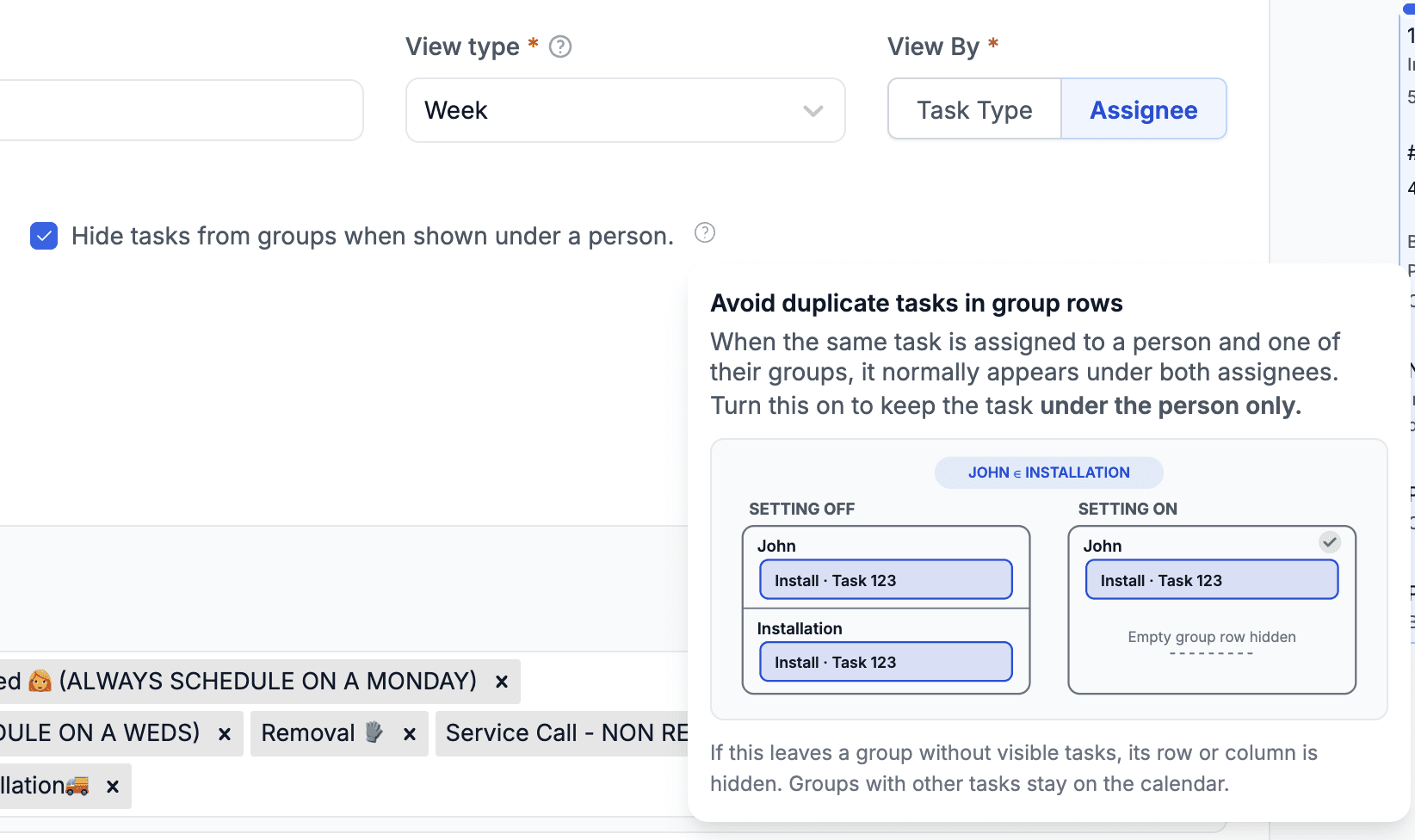
This setting applies to Weekly and Daily Grid layouts and is enabled by default.
It allows you to display both groups (e.g. Installation) and individual users (e.g. installers) without showing the same task twice.
Added support for Service Tracking Metrics. Previously, calendars could track only service categories. You can now select individual services, making it easy to build calendars such as Templating SF.
Cost Margin Calculator
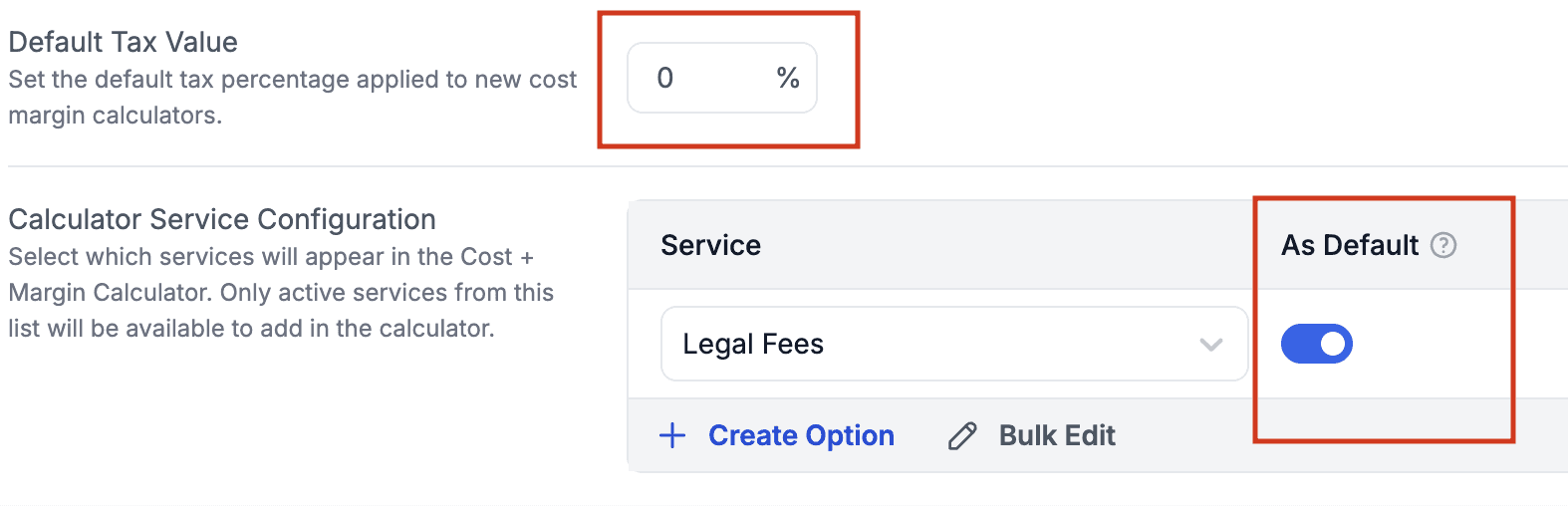
Added the ability to define default lines that are automatically included in every Cost Margin Calculator, together with a default tax.
Project
We've started redesigning the project screens. You'll notice that the top-right section now provides quick access to the Drawing and displays the current project status. The Overview and Deal tabs now contain the same table, making it easier to quickly check the progress of different packages within the project.
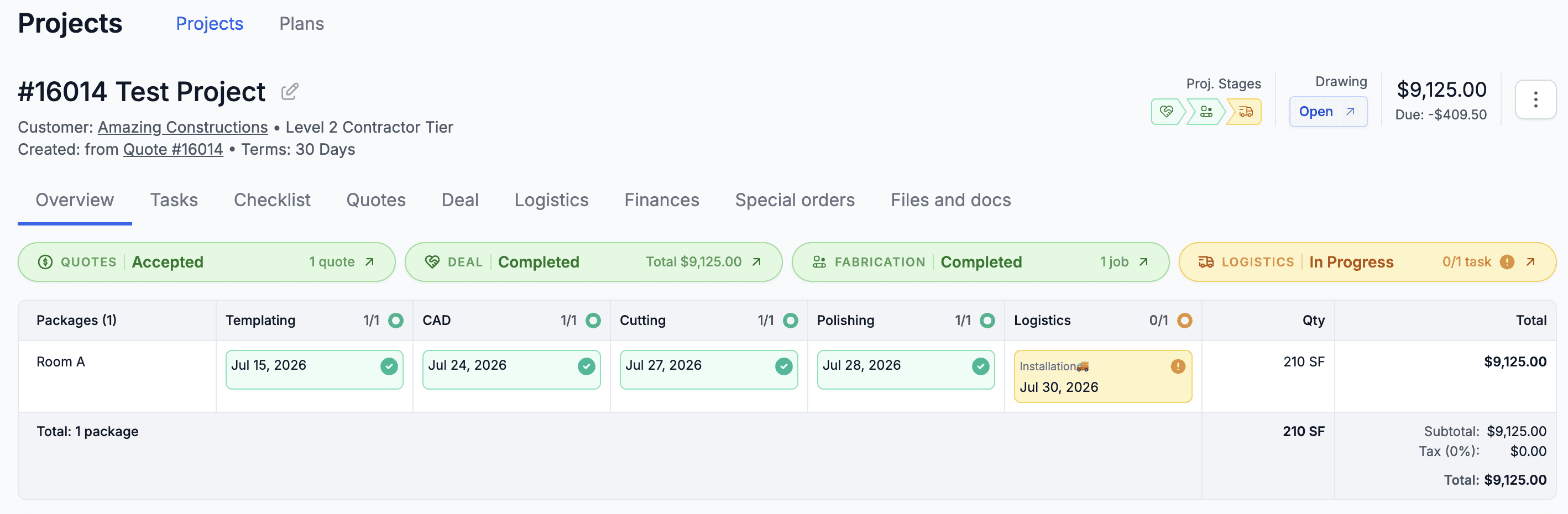
We are updating the project screens gradually so the new design is introduced step by step rather than all at once.
Finance
Financial Account details now include a new As Of property, allowing you to quickly see the account balance as of a specific date.

Leads
Added the ability to bulk edit Lead Sources and Archive Reasons in Settings.
Agent Tools
Added support for Package Templates in Agent Tools, together with several additional improvements.
Agents can now create Quotes using existing Package Templates while respecting package validation rules.