Release Notes v0.6.13 (Parent-Based Pricing, Drawing Rollups)
Parent-Based Pricing
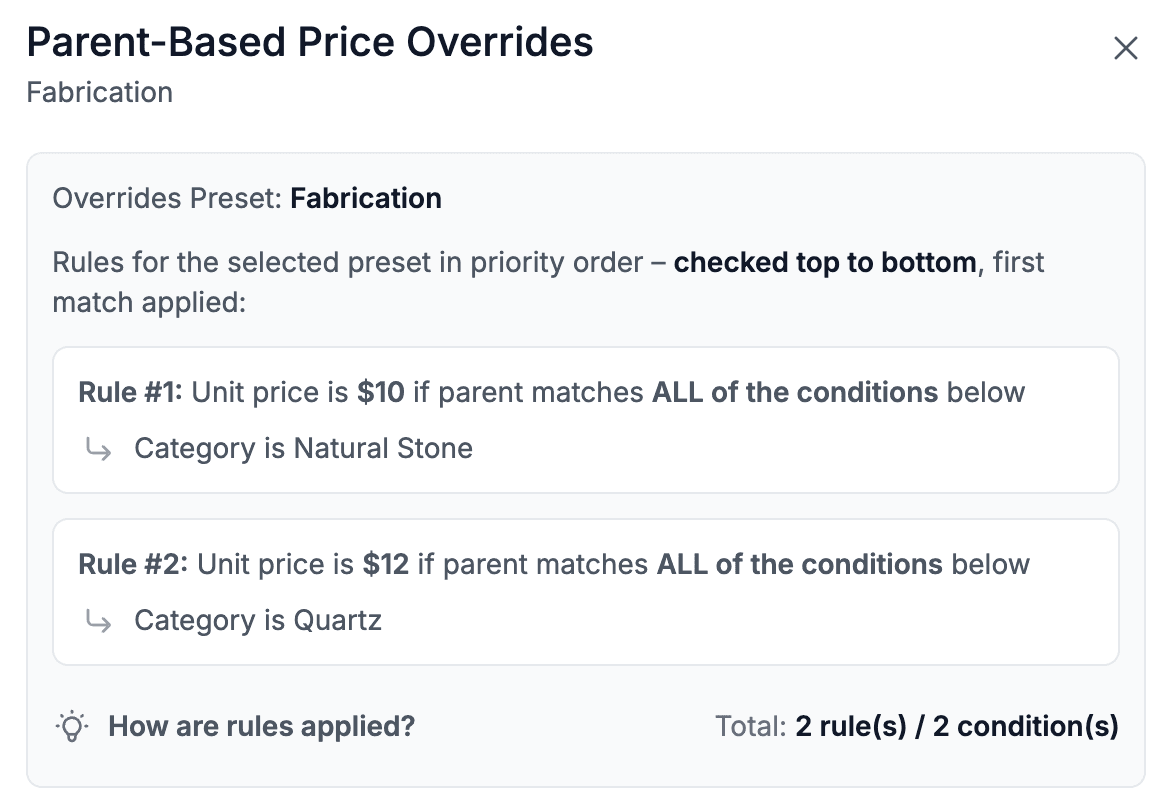
Added Parent-Based Pricing to Package Templates and Drawing Lines. This allows you to price an item based on the category, type, or custom fields of its parent line.
This makes it possible to, for example, price a fabrication service differently depending on whether the material is Natural Stone or Quartz.
You can also use custom product fields to drive pricing. For example, a service price can vary based on the value of a specific custom field on the product.
To configure this, open either the Package Template Editor or Drawing Line Settings, enable Price Overrides Based on Parent, and define your rules.
The example below shows different fabrication pricing based on the material category.
Finance
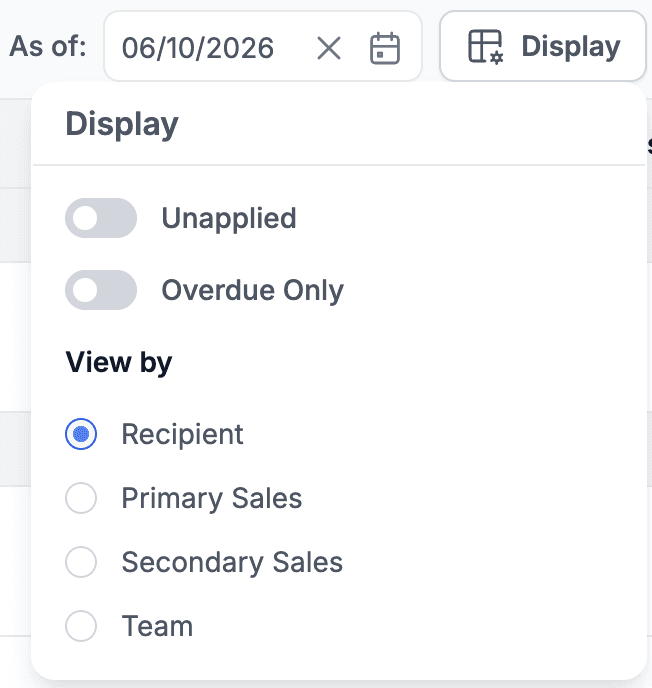
Added Primary Sales, Secondary Sales, and Sales Team filters to the Aged Receivables report.
This allows you to analyze receivables either by customer or by the person responsible for managing the account.
To access these options, click the new Display button, which now contains both the existing display toggles and the new View By options.
Drawing
Added support for Rollup Lines in the Drawing Quote step.
This allows you to create and manage rollups directly from Drawing without having to save the drawing and edit the quote afterward.
Purchase Orders
Added a new Read Purchase Orders permission.
Users with this permission can view PO details without being able to modify them.
If you do not want users to see costs, do not assign the Read Costs permission.