Release Notes v0.6.8 (Drawing Exit Checks, Strong Password Enforcement)
Sales Tax
Added a setting in Settings > Finance > Taxes to choose between Accrual and Cash-based methods.
Updated the tax UI to show a more detailed tax breakdown.
Drawing
Added additional checks when exiting the drawing if changes are not saved. This helps prevent situations where users modify the drawing, exit, and assume the quote lines were updated.
Added buttons in Step 6 to quickly generate missing lines or resolve quantity mismatches, making it faster to align the quote with the drawing.
Quote
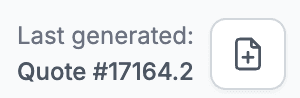
Generated quote documents now include a suffix (1, 2, 3, etc.). This makes it easier to distinguish between multiple versions of a quote shared with a customer.
The quote also shows the last generated document, so you can quickly see the most recent version.
Security
All users with weak passwords have now been locked.
Users were given a 2-month period to update their passwords before this change.
This step is important to ensure stronger account security and protect sensitive data.
Logistics
Added the ability to assign a color per user (instead of sharing a color per vendor).
Reports
Sales Forecast now includes a customer filter.
Customer Statement has an option to include the project name.
Contacts
More compact layout for customer/vendor/supplier detail.
Leads
Added Referrer and Owner filters.