Countertop Fabrication Software Demo Checklist

Choosing software for your countertop shop? Use this demo checklist to compare vendors with the same real job. Test quoting, job changes, slab and remnant inventory, production scheduling, installation, and job costing. Record what works, what requires another tool, and the full cost of the setup your team would use.
When a customer changes the material or installation requirements after approval, your estimator, shop, and installers need the same updated details. Make a change during the demonstration and check how the revised quote, material allocation, and work instructions reach the people responsible. Note where someone must re-enter information or replace an outdated attachment.
Prepare One Job for Every Demonstration
Choose a recent job your team knows well. Bring the original quote, material selection, installation details, supporting files, and a change made during the project. Ask the vendor beforehand which parts can be demonstrated using your example.
For a sample test, use a kitchen with perimeter countertops, an island, a sink cutout, and separately priced installation. Change the selected material after preparing the quote, then follow that revision through the job.
Include an estimator and someone responsible for operations. Have an installer or warehouse user join the relevant part. They should try the screens and devices they would use at work.
If you are still deciding which types of software to evaluate, start with the countertop fabrication software buying guide.
A useful demo follows the same job through quoting, slab selection, scheduling, and installation.
Countertop Fabrication Software Evaluation Checklist
Ask each vendor to demonstrate the tasks below. For every answer, distinguish what works today from what needs configuration, a paid add-on, another application, or future development.
What to Check
What to Ask During the Demo
Quoting
Can we recreate this quote using our material prices, edge charges, cutouts, and installation fees?
Job changes
If we change the selected material or installation requirements, which job details and quote lines need updating, and who reviews the change?
Slab inventory
Can we see the specific slabs allocated to this job and distinguish them from available stock?
Remnants
Can we find a usable remnant by its dimensions and location?
Production
Where does the shop find the approved job details, attachments, work instructions, and current status?
Installation
If we move the installation date, how does the crew find the change and the latest job details?
Job costing
Can we trace this job’s reported profit to the material, labor, and other costs included?
Setup and support
What data can move over, who checks it, and how does our team get help after launch?
Treat an unanswered question as an item to resolve before buying. Separate what you saw working from what would require configuration, an add-on, or future development.
Test the Workflow From Quote to Installation
Choose evaluation tasks around the problems your team handles repeatedly. Include the people who prepare quotes, manage material, coordinate production, and install the work. Each person should test the part they will use.
Test Countertop Quoting and Pricing Rules
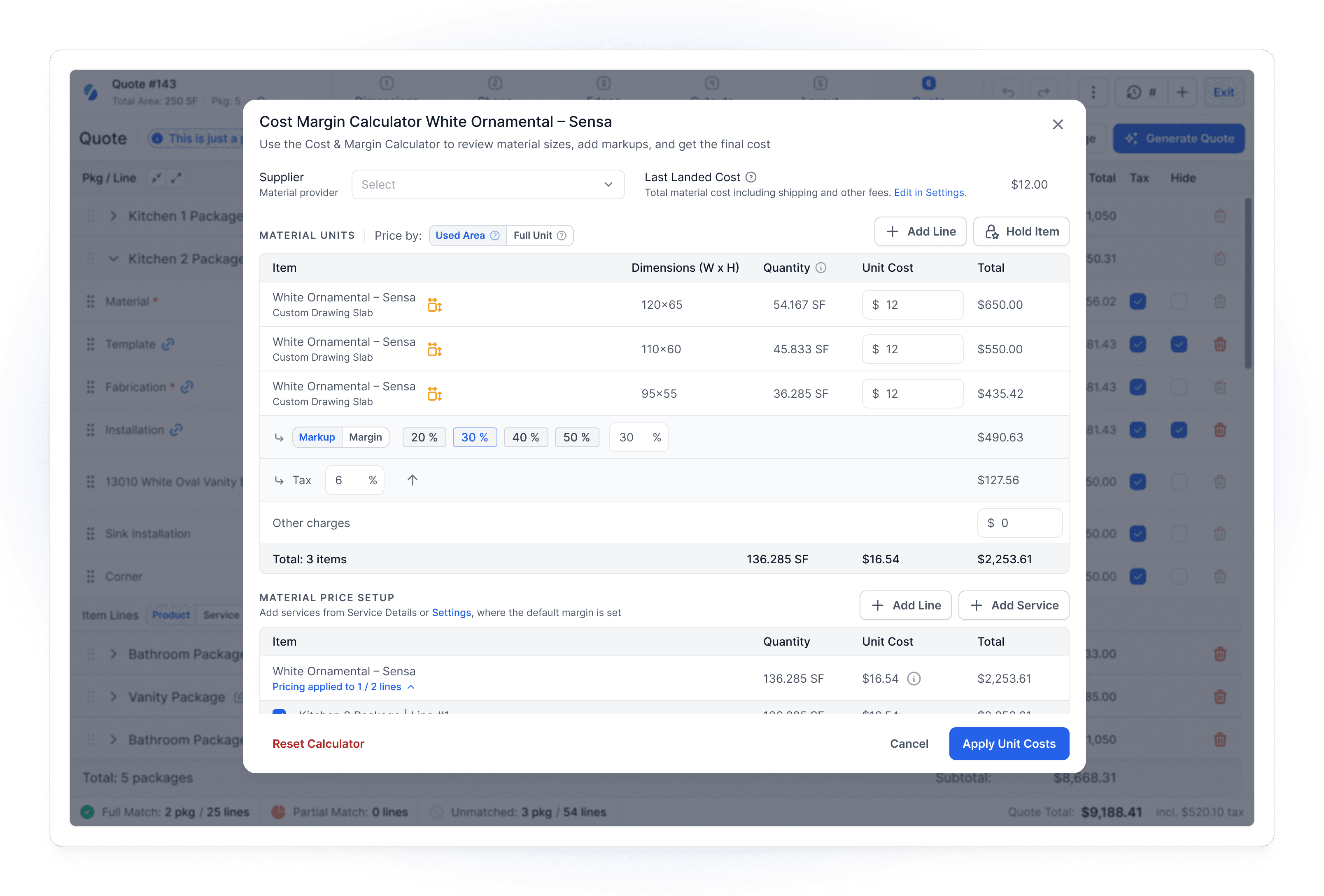
Recreate a completed quote and compare the result with your original. Check how the system handles material charges, edge lengths, cutouts, fabrication, delivery, installation, and applicable taxes.
Ask how customer-specific pricing and discounts work. Then change one input, such as the material or edge profile, and check the revised quote. Your estimator should be able to explain why the total changed.
Look at the customer-facing document too. Confirm that it communicates what is included and that your team can identify the version the customer approved.
Check How Job Changes Reach Your Team
Change the material selection or installation instructions on a sample job. Check where the revised details appear, what needs review, and how the office, warehouse, shop, and installation crew identify the latest approved information.
Add a revised job attachment or note. Ask a second user to find the current version and identify what changed. Check whether outdated files can be mistaken for current instructions.
Ask who reviews and approves changes, how affected team members are informed, and which updates require manual follow-up.
Test Slab Allocation and Remnant Inventory
Ask the vendor to identify an individual slab, show its location, and allocate it to a job. Then open the inventory view as another user would and check how that allocation appears.
Test a quote hold separately from a confirmed job allocation. Ask what happens when the customer changes material, cancels, or lets a hold expire.
For remnants, check dimensions, shape, location, and condition. A piece appearing in a stock list is only useful if your team can judge whether it fits the job and find it in the warehouse.
Check Production Scheduling and Installer Access
Take an approved job into the schedule. Check who assigns the work, how the team sees unfinished tasks, and where production finds the current instructions.
Now move the installation date. Check what the office sees and what appears on the installer’s device. Open the job attachments, address, contact details, and notes on a phone your crew actually uses.
If your team works where reception is poor, ask what remains accessible without a connection and test the answer. Include any photos, signatures, or completion records your process requires.
Review Job Costing and Accounting
Open a completed job and ask which costs the report includes. Check how it treats material, remnants, labor, subcontractors, and other charges relevant to your shop.
Compare estimated costs with actual costs where available. Ask what happens when a supplier invoice arrives late or a job needs a return visit.
A profit figure needs a clear basis. Have your bookkeeper or accountant review how the system records costs and how those records connect to your financial reporting.
Compare Software Costs, Setup, and Support
After testing the job, ask what your shop would need to configure before doing the same work. Identify who enters your pricing, prepares inventory records, trains the team, and checks imported information.
Request a sample import that includes an active job and material allocated to it. Confirm job attachments and history separately. Agree on how your team will access older records that remain in the previous system.
Ask for a written price covering the users and functions shown. Include implementation, migration, training, required add-ons, and connected tools you will keep. Confirm what support is included and who handles urgent questions after launch.
If you intend to keep your accounting software, have the vendor demonstrate the exact transfer you need. Check which records move, when they move, and how corrections are handled. Have your bookkeeper review the result.
Record Evidence for Each Software Vendor
For each requirement, record the vendor, what your team tested, the result, any extra cost, and unresolved questions. Mark whether the function is included, requires configuration, needs another tool, or is unavailable today. Give essential requirements more weight than optional conveniences.
Requirement
What to Record
Recreate our quote
What the estimator completed, the setup required, and any unresolved pricing details.
Track allocated slabs
The stock and job views shown, any repeated entry, and how holds or cancellations are handled.
Update the installation crew
What appeared on the phone, required licenses, and access with poor reception.
Explain job costs
The costs included, missing inputs, and questions for your accountant.
Move our active records
The sample import checked, migration costs, and records that would stay in the old system.
Before signing, resolve every unanswered essential requirement. If a function is promised for a future release, decide whether the software meets your needs without it today.
Match the Software to Your Shop
What Should a Small Countertop Shop Test First?
Start with the work that takes the most time or causes repeated corrections. Have the person who prepares quotes recreate one, revise it, and find the approved job details. Check the minimum subscription, required user licenses, setup work, and support. A small team still needs a reliable handoff when someone is away.
When Should You Evaluate a Stone Fabrication ERP?
Evaluate a full ERP when you need sales, slab inventory, purchasing, production, installation, and finance to share job information. Follow one job across those steps and ask where another system is still required. If you only need estimating and quoting, compare that narrower scope and its cost before committing to a full rollout.
How Do You Compare the Best Software for Your Shop?
Use the same job and essential requirements with each vendor. Compare the demonstrated results, the tools you would keep, the migration work, and the total cost. For a replacement system, also test an import of active jobs and ask how you can export your records later. Choose based on requirements the software meets today.

When to Include Stonify on Your Shortlist
Stonify is software for countertop and stone fabrication shops that connects quoting with slab inventory and job information. Consider it when estimators need to check available material while preparing quotes and the warehouse needs to see which pieces are allocated to each project. Test that connection using your own job.
Stonify’s quoting tools keep pricing, material selections, quantities, and job details together. Estimators can view available slabs and remnants while preparing quotes, so material availability is part of the quoting decision.
Its inventory tools track individual pieces, locations, and allocations to projects. Ask to follow a selected slab from the stock view to its job allocation. Check how your estimator and warehouse team find the same material record.
If those are the handoffs your shop needs to improve, include Stonify in your evaluation. Compare the demonstrated workflow, required setup, and total cost against your other shortlisted systems.
Use your demonstration to check how those workflows match your shop’s requirements, including the tools you plan to keep. For a broader evaluation of your options, read How to Choose Countertop Fabrication Software.
Compare Stonify With Other Fabrication Software
You may also be considering Moraware or Stone Profit Systems. Moraware offers CounterGo for drawing and quoting, Systemize for scheduling and job management, and Inventory for slab tracking. Stone Profit Systems describes ERP software covering quoting, inventory, scheduling, and accounting.
Use the same job and checklist with each vendor. Compare the work your team completes, the information carried into the next step, and the full configuration you would buy. For Stonify, pay particular attention to how quoting and individual slab records stay connected.
For a closer look at the options, read our comparisons of Stonify vs. Moraware, Stonify vs. Stone Profit Systems, and Stonify vs. ActionFlow.