Release Notes v0.6.6 (Rollup Lines, Cost-Based Pricing)
Rollup Lines
Added a new feature called Line Rollup. This allows you to combine multiple lines into one for customer-facing documents (typically Quotes or Invoices).
To use it, click Add Rollup when editing a package. You can drag the rollup line up and down or use arrows to define which lines are included.
Below is an example of the editor showing 3 lines rolled up into one.
The rollup line name can be set to Automatic (based on included lines) or entered manually.
In the example, Installation and Fabrication lines are hidden, so only the Material line is shown.
The image below shows how this appears in the generated Quote.
Cost-Based Pricing
Added support for cost-based pricing, allowing you to dynamically set selling prices based on cost instead of fixed values.
This is configured in Price Groups (Product Settings > Price Groups).
Products can use average cost or last landed cost as the base.
Services use the manually entered cost.
Calendar
Added an exclude option for the billing customer filter. This allows you to show all customers while excluding specific ones.
Discounts
Discount changes are now tracked as part of the Deal line change log.
Drawing
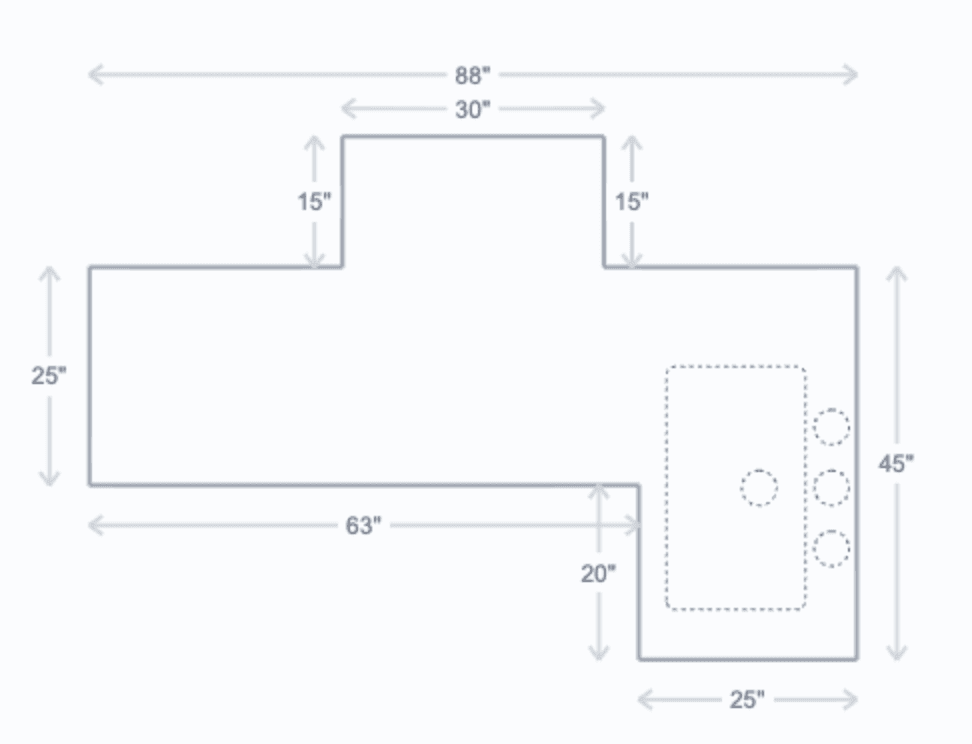
Added an option to show measurements for bump-outs.
Purchase Orders
Added a new Requested Date field for Special Orders, allowing you to track when the product is needed.
Special Orders can now be edited (via the edit icon).
Project
When duplicating a project with an accepted quote, the new quote is created in the default draft state, making it easier to modify.
Live Inventory
Added a setting to limit which warehouses are included in Live Inventory.
This allows you to hide specific warehouses from customers.