Release Notes v0.6.2 (Data Import, Special Orders Report)
Mar 3, 2026
Project
The Overview tab now shows SF (square footage) for each package.
When cancelling a project, you can optionally add a cancellation note.
Leads
Removed the Lead Export from Reports > Exports and moved it directly to the Leads table to stay consistent with the rest of the application.
The Lead export now includes the newly added cancellation note.
Reports
Added a new Special Order report (in the Inventory section). This report lets you see all special orders and analyze which products are ordered most frequently.
Finance
Added a new column in the Account Detail view (from the Chart of Accounts). This column shows the account affected by the journal entry.
This is particularly useful for parent accounts that display both their own and child account transactions.
Added a toggle to include or exclude child accounts in the view.
Tasks
Fixed a UI issue in the Edit Task modal where the header and footer were not fully visible.
Settings
The Price Group setting now includes a history log.
Data Import
Added a new General Import section in Data Import settings. Users with import permission can now bulk import data into the system.
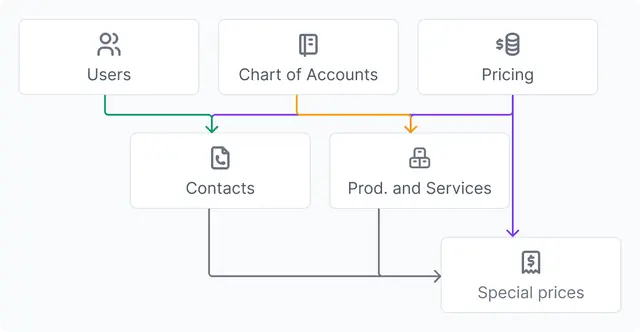
Some data depends on other data being set up first (e.g., the Chart of Accounts must be created before importing products). These dependencies are shown in the image below, which you can open by clicking the question mark icon.
In each import section, you can download:
An example file showing the correct format
A blank template file to fill in with your own data and upload
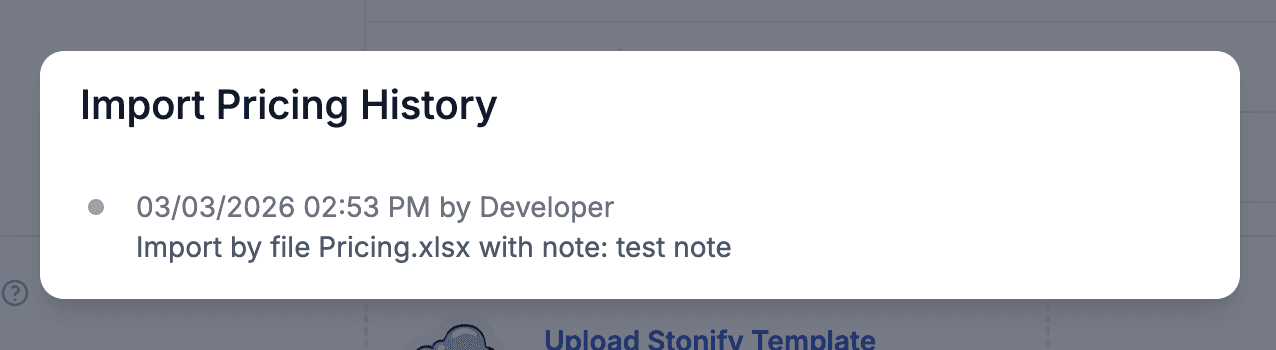
Each import has a history log, so you can see when data was imported and review previous import runs.
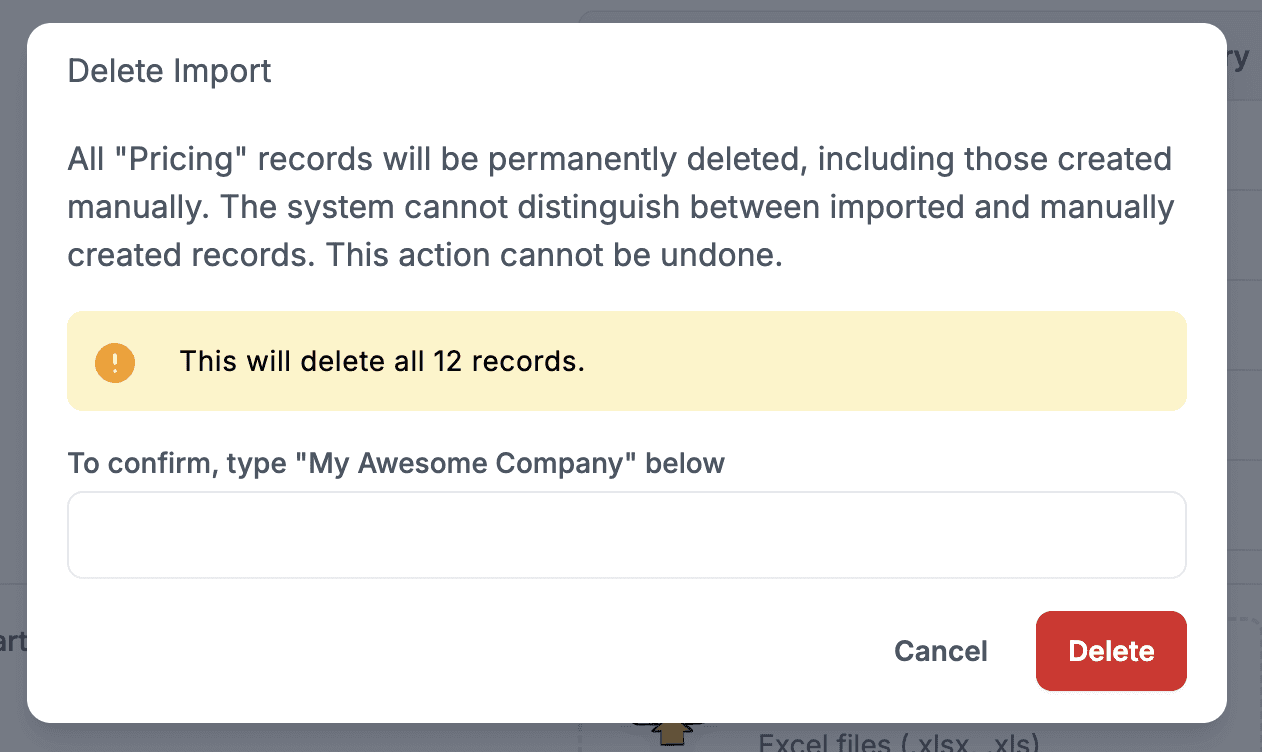
Once you create entities with relationships to imported data (e.g., a task assigned to a user), they cannot be deleted directly. Any modifications must follow the standard system process.
More Notes
Release notes v0.6.1 (New calendar card design, folders for Plans)
Feb 24, 2026
Release notes v0.6.0 (Vein matching in Drawing)
Feb 18, 2026
Release notes v0.5.99 (Vendor export, Saved filters across the app)
Feb 11, 2026
Release notes v0.5.98 (Drawing layout, Export products, Audit improvements)
Feb 4, 2026
Release notes v0.5.97 (Stripe, Inventory promotions)
Jan 28, 2026
Release notes v0.5.96 (Relative date filter)
Jan 20, 2026