Release Notes 0.6.26 (Attached Pieces, Timeline Calendar, Logistics Visibility)
Drawing
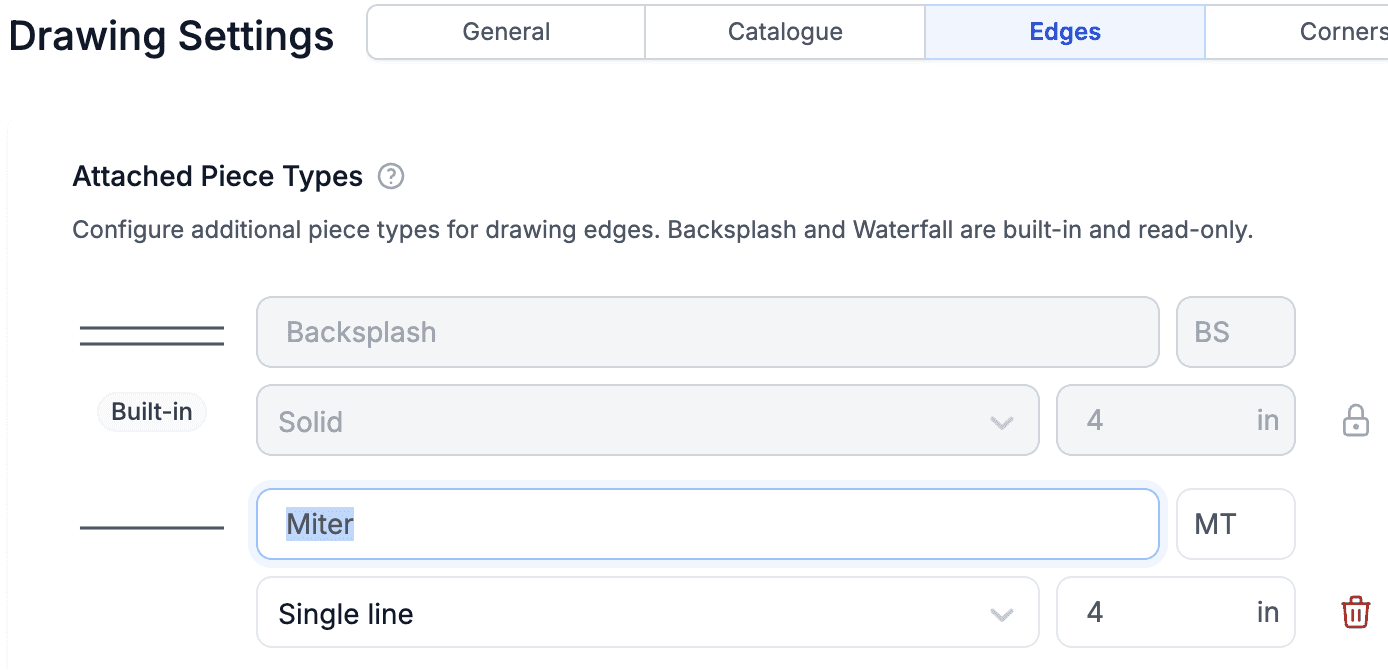
Generalized Waterfalls and Backsplashes into what we now call Attached Pieces. You can use any Edge Type (e.g. Miter) and mark it as an Attached Piece. Once enabled, you can define the height of the piece and choose whether to show it on the canvas. The image below shows the setup with a Miter edge.
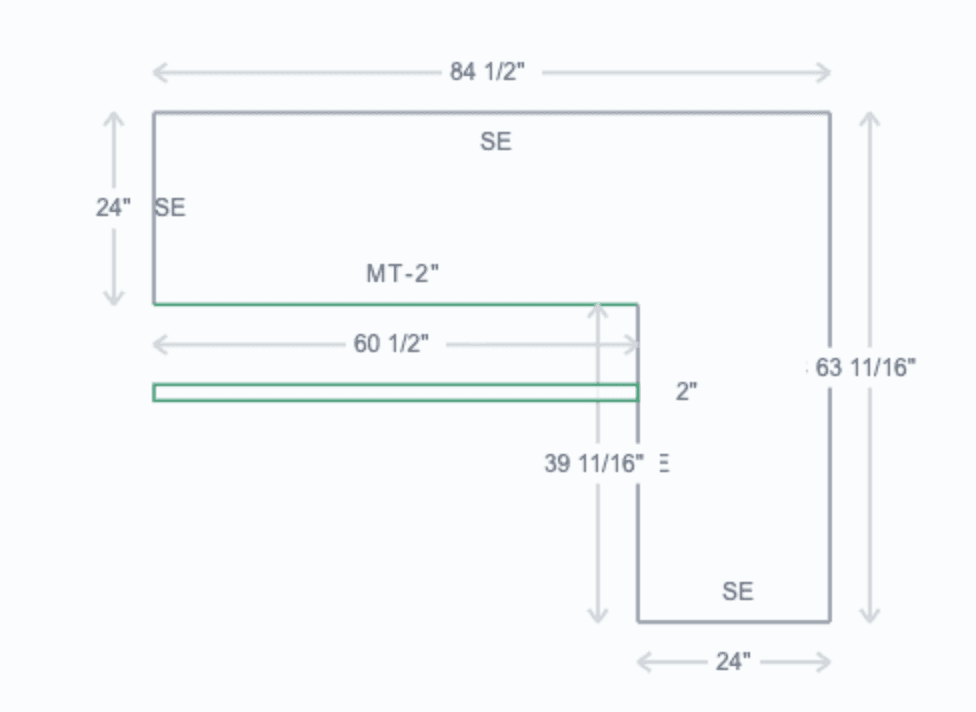
The next image shows the result.
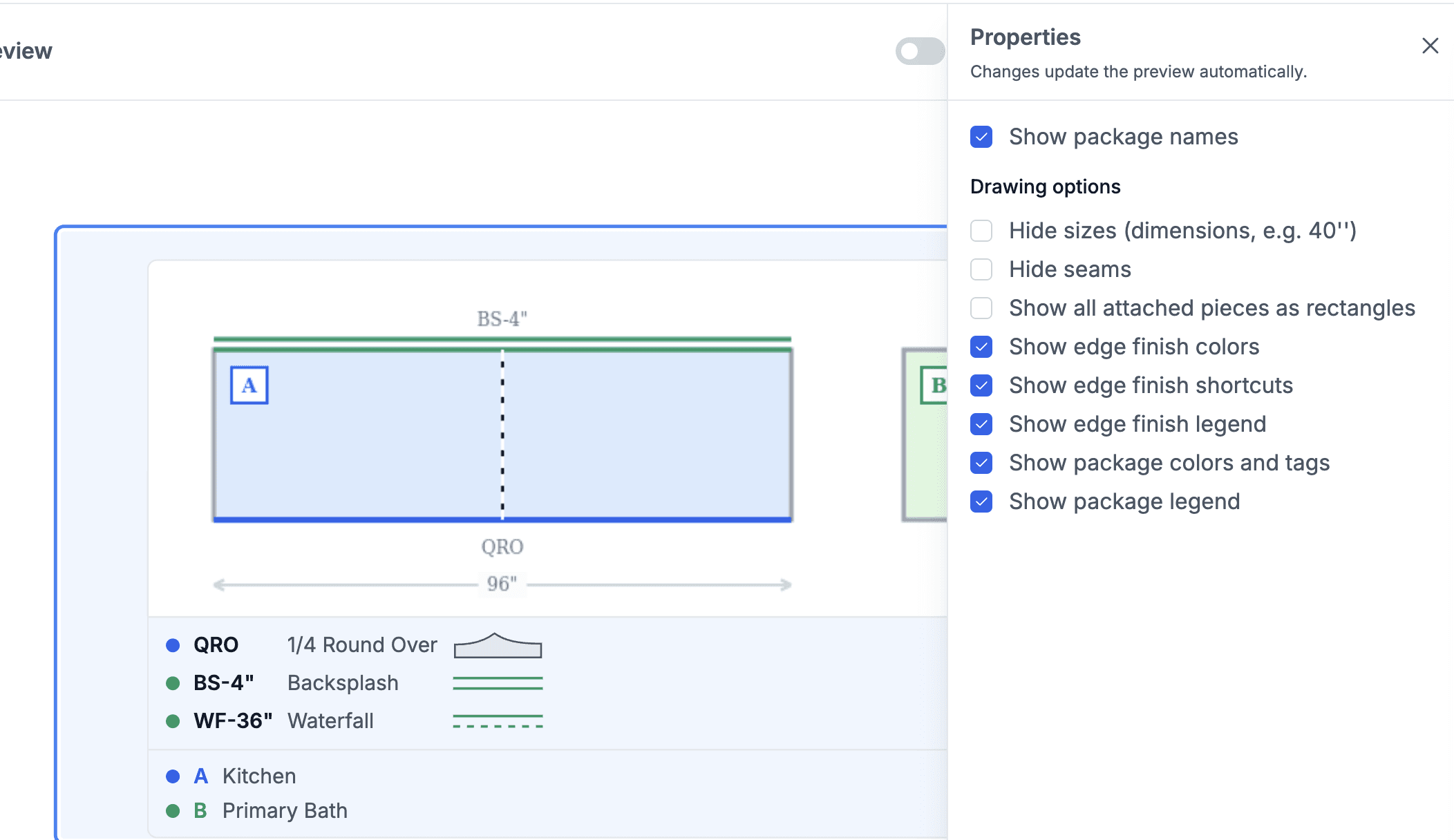
Added an option to generate Attached Pieces for the Drawing element in the Document Template Editor. This option is called Show All Attached Pieces as Rectangles. When enabled, the attached piece is rendered as a shape instead of just an edge.
Turned on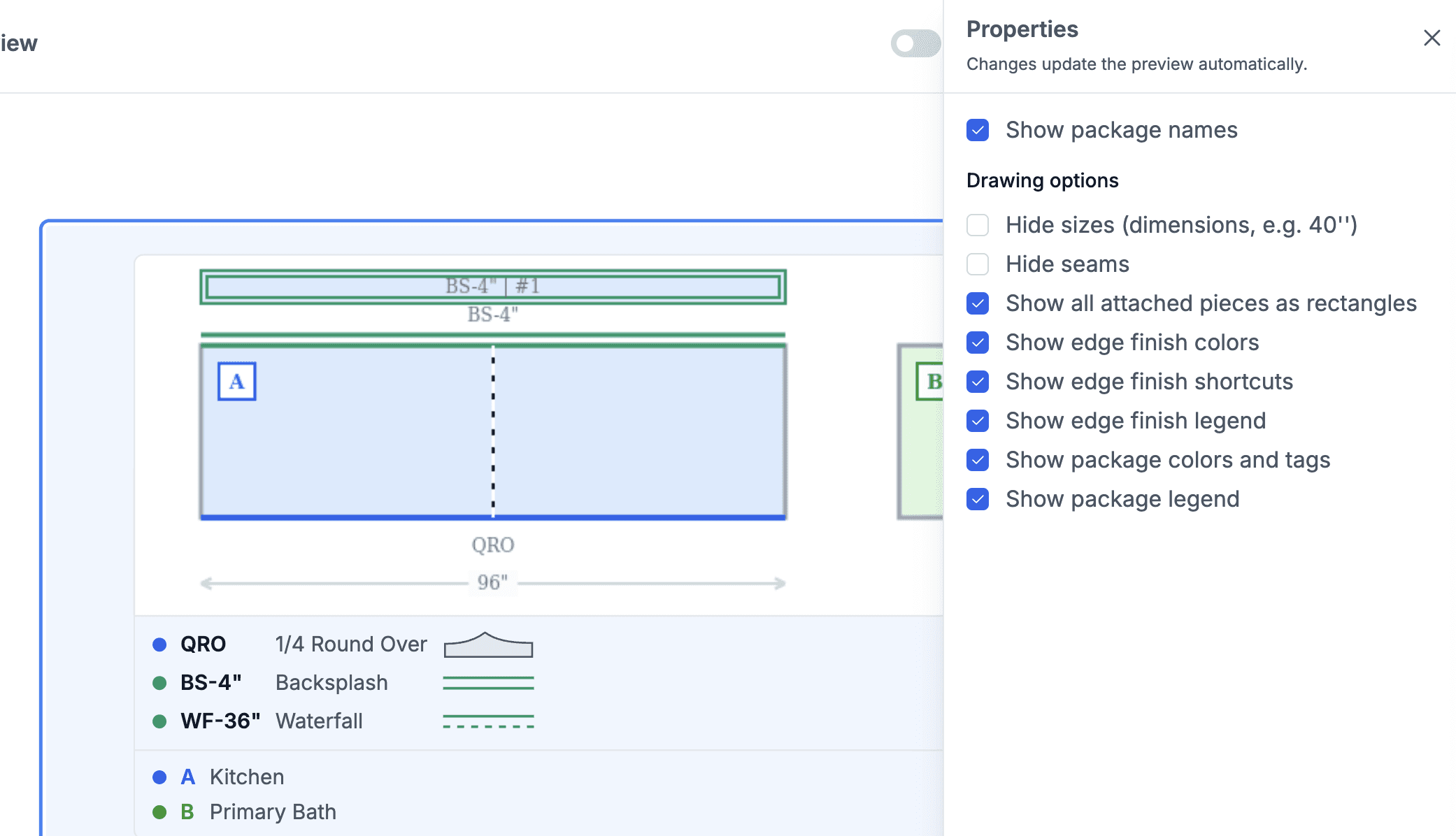
vs off
Calendars
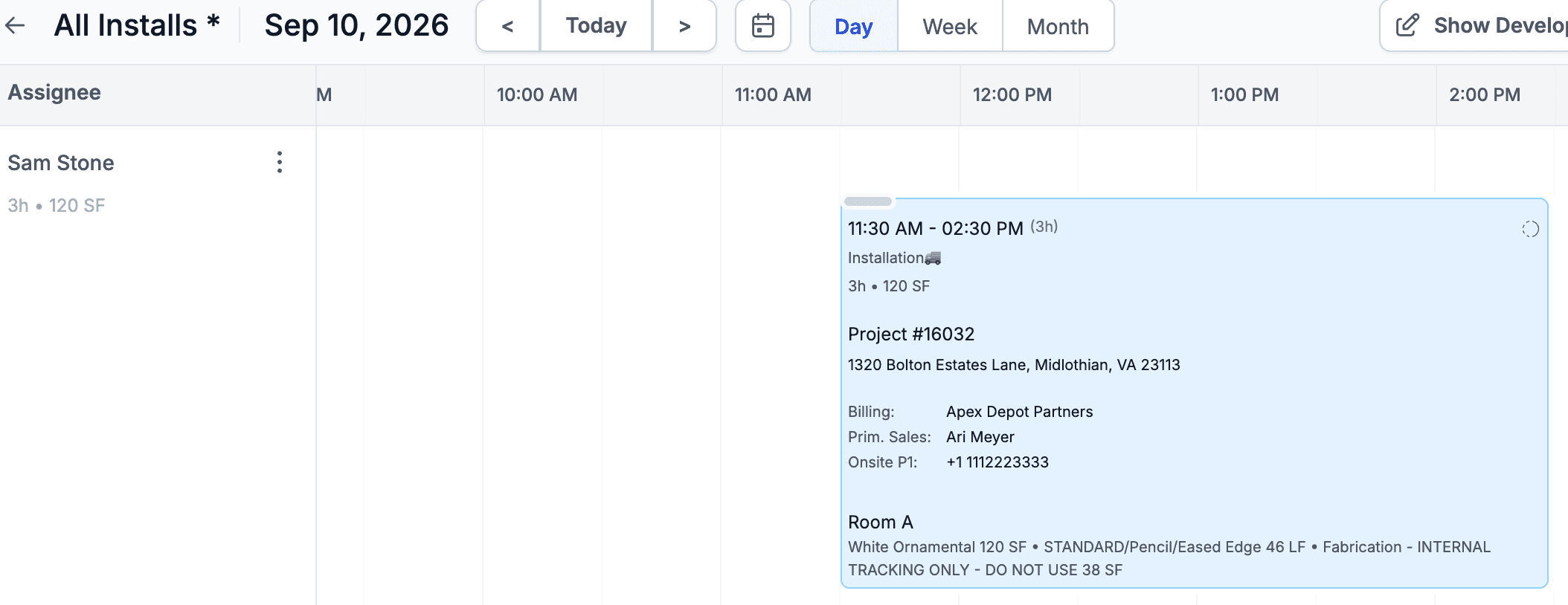
Daily View calendars can now be displayed as a Timeline, where columns show the times and the width of each task represents its duration. Edit the Calendar settings and select Daily Display > Timeline for the Daily Grid calendar view.
Tasks
Added an option to duplicate a Task. The duplicate opens the same modal as creating a new Task, with information pre-filled from the original Task.
Logistics
Extended the Schedule Visibility option so it can be configured per Vendor. This allows you to have a general setup (e.g. all installers can see a few days ahead), while defining exceptions for specific Vendors.
Attachments
Improved attachment handling for Financial Documents and Payments. It is now clearer that you can drag and drop multiple files into the attachment area, and the attachments themselves are smaller so more of them can be seen at once. You can also download all attachments for Financial Documents and Payments at once.