Release notes v0.6.0 (Vein matching in Drawing)
Feb 18, 2026
Drawing
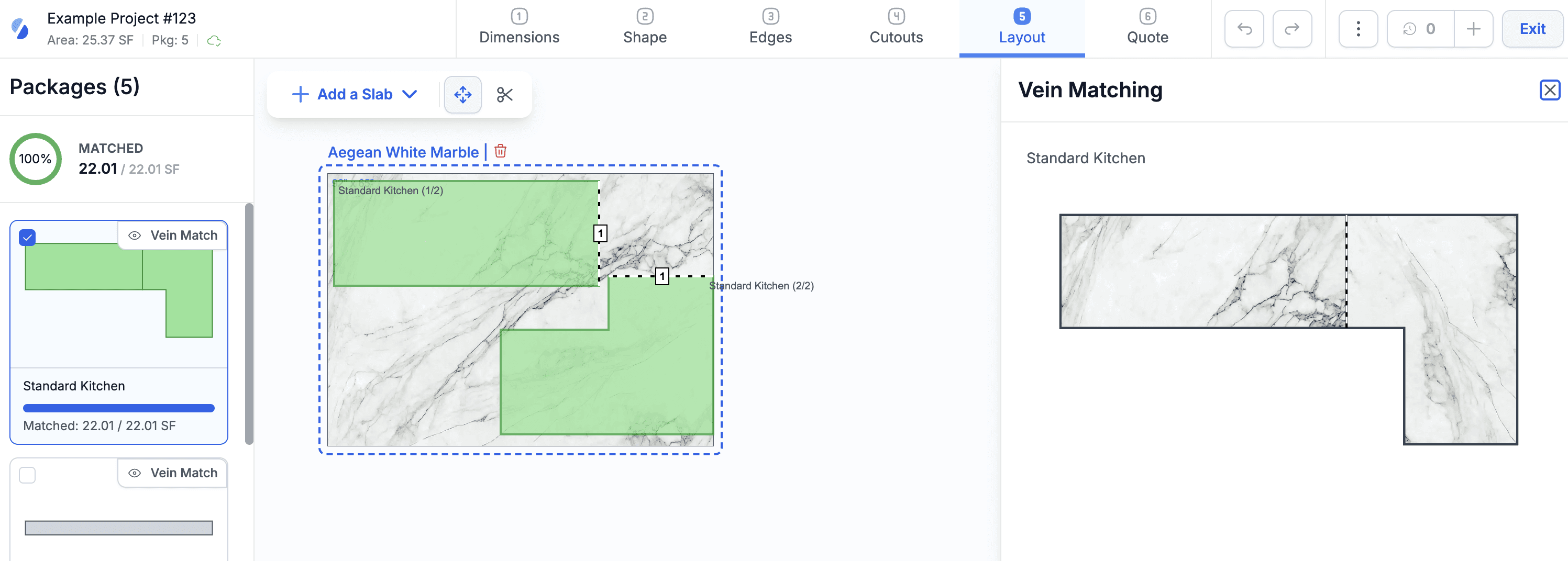
Added the ability to vein match slabs in the Layout step.
Start vein matching by clicking the Vein Match button for a package in the left menu. This opens a menu on the right showing a preview, which updates as you move pieces on the slab.
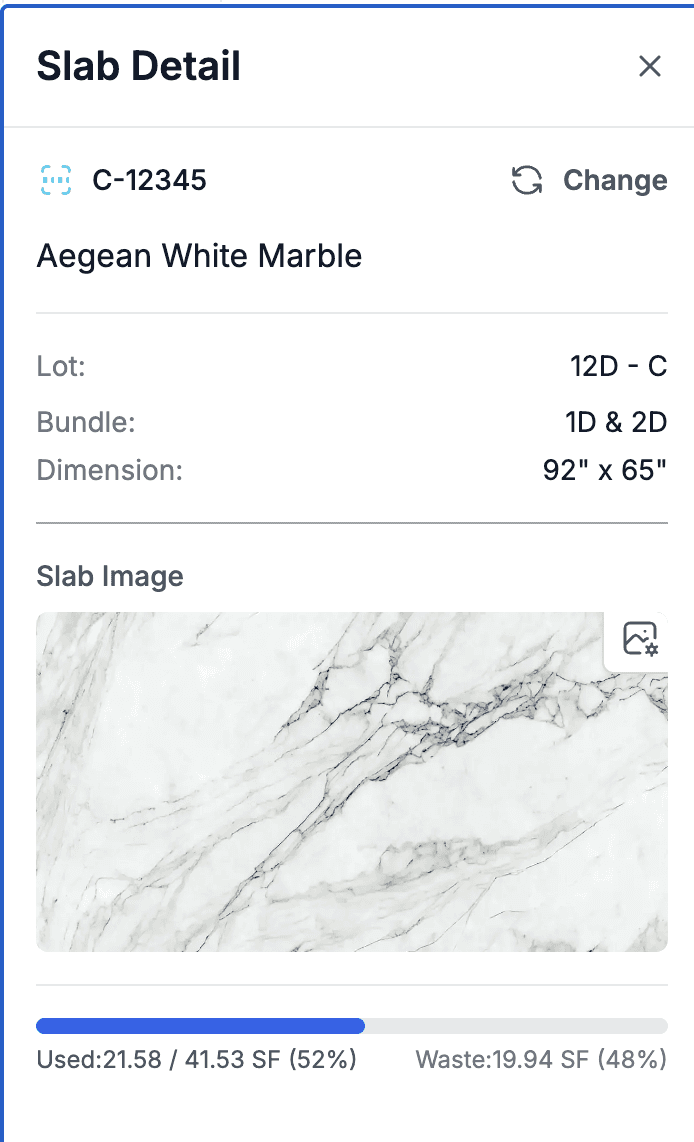
To use this feature, your slabs must have images. You can upload images directly in the drawing module or reuse images from inventory (if already available). See the slab detail in the right menu.
Projects and Leads
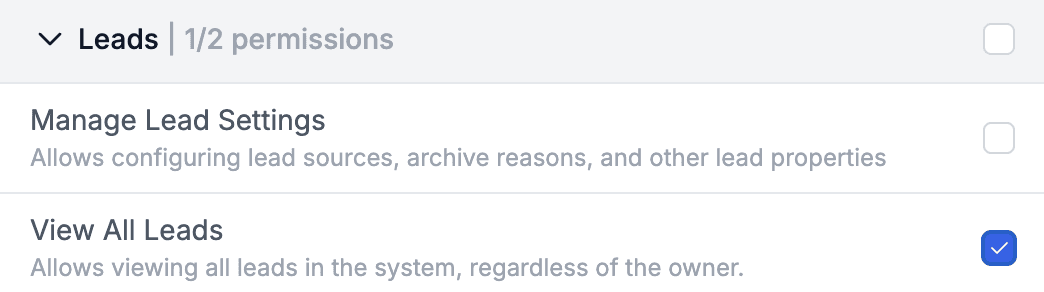
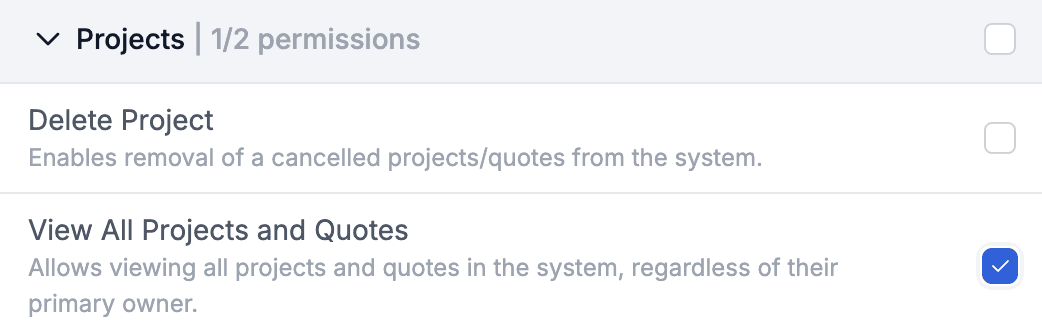
Added a new feature to restrict visibility of leads, quotes, and projects so that only the Lead Owner or Primary Sales Person can see them.
Enable this in Settings > Leads or Settings > Projects.


Once enabled, only the assigned owner or primary sales person can view the details.
To allow specific users to see everything regardless of ownership, assign them the View All permission in the Leads or Projects permission groups.
Finance
Added support for cost allocation on account lines for bills.
Deletion of financial documents is not blocked even if a payment has been applied. If such a document is deleted, the payment is automatically unapplied and remains in the system.
Files
Fixed a bug on mobile iOS browsers where PDFs displayed only the first page.
More Notes
Release notes v0.5.99 (Vendor export, Saved filters across the app)
Feb 11, 2026
Release notes v0.5.98 (Drawing layout, Export products, Audit improvements)
Feb 4, 2026
Release notes v0.5.97 (Stripe, Inventory promotions)
Jan 28, 2026
Release notes v0.5.96 (Relative date filter)
Jan 20, 2026
Release notes v0.5.95 (Cost & Profit, Margin Calculator, Speed Label)
Jan 14, 2026
Release notes v0.5.94
Jan 5, 2026