Best Countertop Fabrication Software in 2026: 13 Tools Compared
Written by Stonify Team. We make one of the products compared here. Stonify workflow recommendations updated November 16, 2026; vendor pricing and comparison research checked November 5, 2026. Fit recommendations are our editorial judgment. Confirm current features and terms before buying.
Stonify is our pick for stone and countertop fabricators who want drawing, quoting, slab inventory, scheduling, and accounting in one platform. Its drawing tools calculate quantities and quote lines, while available slabs and remnants can be checked during quoting. Choose around the work your shop needs connected, then test a recent job before committing.
A revised quote should not send your team searching through emails, spreadsheets, and separate schedules. This guide compares 13 options for that problem, from focused drawing tools to broader shop-management systems. The recommendations are Stonify’s editorial judgment, not an independent ranking.
Stonify: Our Pick for Connected Shop Management
Stonify is our first recommendation when the same job needs to stay connected across estimating, material planning, and the rest of the shop. In Stonify, the drawing can supply quantities and quote lines, and estimators can check available slabs and remnants while quoting. That is the workflow to test if your team keeps rebuilding job details in separate tools.
Our pick for connected shop workflows: Stonify. The Full ERP Platform brings quoting, inventory, scheduling, and accounting together. Stone Profit Systems is another option to compare for broader business management.
Drawing and quoting first: include Stonify Drawing Only on your shortlist alongside Moraware CounterGo, Easy Stone Shop, iCounterSoft, and QuickQuote Countertops.
Shop management with onsite implementation options: consider ActionFlow Process and Performance.
Lower starting subscriptions with broader scope on higher plans: compare SlabWare, SlabWise, and Stone Project.
Team coordination: also review EasedEdge, CounterQuotes, and StoneAPP by StoneGrid.
Side-by-Side Software Comparison
Published USD prices checked November 5, 2026. These are different packages, not equivalent team quotes. Promotions, extra seats, setup, integrations, and usage may change the total.
Swipe horizontally to read all columns on a smaller screen.
Software
Published Price
Workflow Scope
Moraware
$100/user CounterGo; $120/user Systemize; $50/user Inventory
Modular drawing, jobs, and slabs
ActionFlow
Spring $99 promo, then $149/month; full plans from $299
Quoting, jobs, scheduling; inventory on Process
Stone Profit Systems
Request a quote
ERP, distribution, inventory, and accounting
SlabWare
Regular $149 / $279 / $379 per month; temporary VIP offer
Drawing and quotes; inventory and jobs on higher plans
Stonify
Full ERP from $500/month/shop, including $500 seat credit
CRM through quoting, slabs, scheduling, and accounting
SlabWise
$99 / $299 / $799 per month; 14-day trial for $1
Quotes and DXF tools; nesting on Pro
Stone Project
Solo $129.99/month for 12 months, then $149.99
Field drawing, CRM, quotes, and scheduling
EasedEdge
Starter $495/month for 10 users
Drawing, jobs, schedules, and inventory
Easy Stone Shop
Easy Quote $50/month; Easy Job $295; Easy Shop $595
Quotes; scheduling and inventory in broader packages
iCounterSoft
Standard US$70/month; extra users US$39
Drawing, estimates, customer records, and invoices
CounterQuotes
$100/office seat/month, including 2 crew seats
Drawing, quotes, CRM, and schedules
StoneAPP by StoneGrid
Request a quote
CRM, quoting, purchasing, inventory, and accounting
QuickQuote Countertops
One-time $1,000 / $1,500 / $2,250 by device count
Estimating, drawing, slab layout, and schedules
13 Countertop Software Products Compared
Each profile describes a practical reason to evaluate the product, its published pricing, and what to check in a demonstration. Missing website details do not establish that a feature is unavailable.
Stonify

Our Pick for Managing the Shop in One System
Choose Stonify when a revised drawing, material choice, and quote need to stay aligned. Stonify calculates material and service quantities from the drawing and compares the drawing with the quote to surface missing lines or quantity differences. Its quoting tools show available slabs and remnants and keep pricing, material selections, notes, and quantities with the quote. For shops buying a connected platform, those links are the reason to start with Stonify.
Full ERP starts at $500/month per shop and includes a $500 monthly seat credit. Standard users are $50/month, Drawing users $75, and Lite users $35. Only seat value above the credit is added; confirm add-ons and your final configuration in a demo.
Start with Drawing Only if drawing and quoting are your immediate priority. For the broader platform, bring a recent job to a demo and follow the work from the estimate through installation and invoicing.
Moraware

Separate Quoting, Scheduling, and Inventory Products
CounterGo handles drawing and estimating, Systemize handles job management and scheduling, and Inventory adds slab tracking. Consider Moraware when you want to buy these workflows separately. Inventory requires Systemize.
CounterGo $100/user/month; Systemize $120/user/month with a 3-user minimum; Inventory $50/user/month. Users after the fifth on Systemize cost $50 each. Three users on all three products total $810/month.
Ask which users need each product and demonstrate how a revised quote reaches scheduling and inventory.
ActionFlow
Shop Management With Onsite Implementation Options
ActionFlow combines quoting, job tracking, scheduling, payment collection, and a mobile app. Spring is a Windows program. Process adds inventory, QuickBooks integration, and two onsite days; Performance adds multi-facility tools and Power BI.
Spring $99/month for 3 months, then $149, including the first user; extra users $49/month. Process starts at $299/month plus $3,000 implementation. Performance starts at $499/month plus $4,500 implementation. Published full-plan fees apply in the U.S.
Confirm Windows requirements, required seats, and implementation costs. Spring’s published comparison lists QuickBooks export at an additional $75.
Stone Profit Systems
ERP for Fabrication and Distribution
Stone Profit Systems covers inventory, purchasing, quotes, holds, sales, scheduling, accounting, and reporting. Its distribution tools include landed costs and slab holds. Consider it when fabrication and distribution need to share business records.
Request a written quote for the modules, locations, implementation, and hosting your business needs.
Ask for a demonstration of your drawing workflow, accounting requirements, data migration, and server or hosting arrangement.
SlabWare
Plans That Add Inventory and Job Tracking as You Grow
SlabWare now lists Fabricator Starter, Basic, and Professional plans. Starter covers drawing and quoting, Basic adds inventory, and Professional adds Job Tracker and accounting connections. Compare the plan that includes the work your shop actually needs.
Published regular monthly prices are $149 for Starter with 1 user, $279 for Basic with 3, and $379 for Professional with 5. Extra users are $49/month. The current VIP offer lists $119, $219, and $259, locked for 6 months, with an advertised November 20 deadline.
Confirm promotional eligibility, renewal price, required features, and QuickBooks or Xero terms directly with SlabWare.
SlabWise
Quoting, DXF Tools, and Plan-Based Nesting
SlabWise offers quoting, template tools, AI verification, and DXF downloads. Pro adds slab nesting and a contractor portal. Enterprise adds API access and custom integrations.
Starter $99/month with 3 seats; Pro $299 with 5; Enterprise $799 with unlimited seats. Extra Starter and Pro seats are $20/month. Annual billing advertises 20% savings. The 14-day trial costs $1.
Check active-job limits and shared credits for AI tools and exports. Starter does not include the nesting optimizer; ask for the exact plan and usage charges your workflow needs.
Stone Project

Drawing and Quoting From the Job Site
Stone Project offers drawing, CRM, quotes, scheduling, invoices, and a remnant marketplace across mobile and desktop devices. Its site describes offline field work, AI countertop renders, and access to job information through Claude or ChatGPT on Pro.
Solo is advertised at $129.99/month for the first 12 months, then $149.99. Higher tiers increase seats and storage.
Confirm trial length before signing up. The home page advertises 7 days while the pricing page states 14. Test offline work and the accounting connection with your own records.
EasedEdge

Job Management for a Shared Team
Developed by a Kansas countertop fabricator, EasedEdge lists scheduling, drawing, estimates, inventory, purchase orders, contracts, payments, and QuickBooks Online integration.
Starter is $495/month for 10 users, with additional users at $49.50/month. A 30-day trial is advertised. Compare higher plans and user types with the vendor.
Test your drawing, slab reservation, schedule change, and accounting handoff in the plan you would buy.
Easy Stone Shop

A Focused Quote Tool or Broader Shop Package
Easy Quote starts with quotes, accounts, and reports. Easy Job adds job tracking and scheduling. Easy Shop adds inventory, barcoding, and purchasing tools.
Easy Quote is $50/month for 1 user. Easy Job is $295/month and Easy Shop $595/month, each for up to 5 users. Additional users are $25/month.
Confirm drawing requirements and the users needed for production or loading-dock stations. Its pricing page marks packages as non-refundable.
iCounterSoft
Browser Drawing and Estimating
iCounterSoft’s Standard plan includes drawing, estimating, slab layout, vein matching, customer records, and invoicing. Professional adds scheduling, DXF import, and accounting sync.
Standard is US$70/month for 1 user, with extra users at US$39/month. The site advertises a 14-day trial requiring a card.
Verify Professional pricing and required accounting workflows directly. Test your units, price lists, and revised drawings before choosing a plan.
CounterQuotes

Drawing, CRM, and Scheduling per Office Seat
CounterQuotes lists countertop drawing, slab layout, quoting, customer pipelines, scheduling, and posting won estimates to QuickBooks. Each office seat includes two crew seats.
$100 per office seat per month. Additional crew seats cost $5/month. The first month is free with a card at signup; cancel before renewal to avoid payment.
Demonstrate the accounting handoff and role permissions. Confirm what crew members can view and how many field seats your subscription includes.
StoneAPP by StoneGrid
ERP With CRM and Production Workflows
StoneAPP lists CRM, quoting, drawing, inventory, purchasing, project management, scheduling, and accounting tools. Its site describes web-to-lead forms, follow-ups, and transferring a lead into a quote.
Request pricing for your required modules, users, integrations, and implementation.
Follow one job through material allocation and production, then have your bookkeeper verify the accounting setup and integration scope.
QuickQuote Countertops

A One-Time Software License
QuickQuote combines countertop estimating and drawing with scheduling and slab layout tools. It offers exports for accounting and other shop software.
Economy is $1,000 for up to 2 devices, Standard $1,500 for 5, and Premiere $2,250 for 10. Economy updates are separate; the other editions include one year. A yearly updates subscription is listed at $240.
Confirm supported Windows versions, shared access, required exports, and ongoing update costs before buying.
Choose the Scope Your Shop Needs
Use the problem you need to solve to decide which type of software to compare. During each demo, test a recent job from your shop.
Use the Countertop Fabrication Software Demo Checklist to record what each vendor demonstrates, the setup required, and the price of the configuration you would buy.
Choosing Software for a Small Countertop Shop
For a small countertop shop, start with the work that takes the owner or estimator the most time. Compare drawing and quoting tools if preparing estimates is the main problem. Add scheduling and job management if approved jobs are getting lost between the office, shop, and installers. Check the cost for your actual users and the help available during setup. A small team may still need an ERP when its work is complex.
Choosing Software for a Large Fabrication Shop
For a large stone fabrication shop, prioritize consistent job information across sales, inventory, production, installation, and finance. Compare connected shop-management and ERP systems using the workflows your departments need to share. If you run several locations, test inventory and job visibility across them, permissions for different roles, and reporting across departments. Shop complexity matters more than headcount alone.
What to Look for in Countertop Fabrication Software
Use the same recent job in every demonstration. Ask the people who quote, reserve slabs, schedule work, and invoice customers to test the steps they own. Record what works in the demonstrated setup and what would need additional work.
Customer and Lead Management
Enter a customer inquiry, attach the plans, and assign the next action. Check whether another salesperson can find the conversation, current quote, and promised follow-up without asking the original estimator.
Quotes and Estimating
Price a kitchen using your materials, edges, cutouts, fabrication, and installation charges. Check taxes, discounts, and the customer-facing quote. Revise the scope and see how the system records the change and carries the approved details into the job.
Drawing and Layout Planning
Draw the countertop, change its dimensions, and check the resulting quantities and quote lines. Lay out the pieces on the slabs you would use. If your workflow needs slab photos, vein matching, template imports, or machine files, test those requirements with your own files.
Project and Installation Management
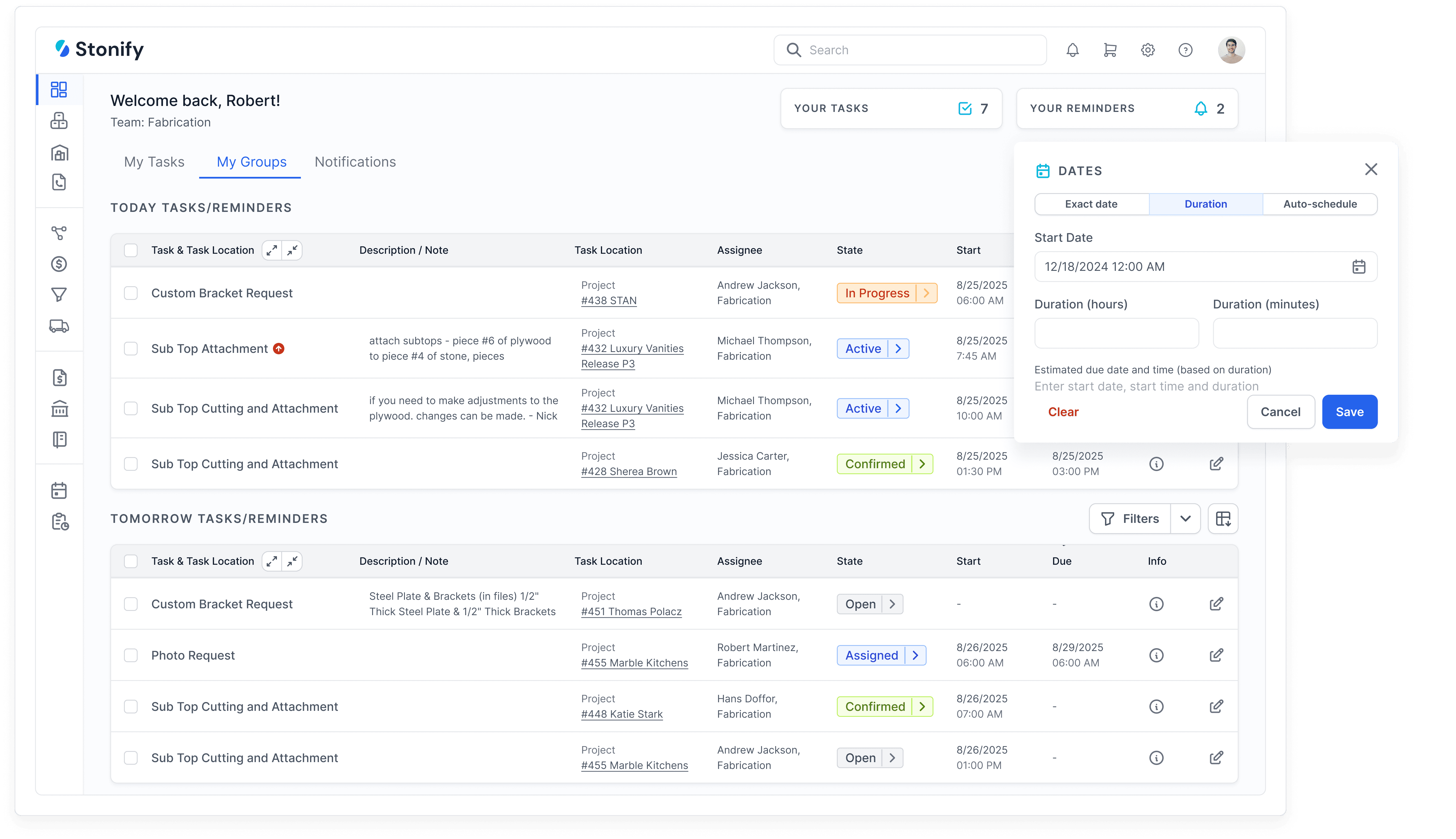
Move an approved quote into production and assign the next tasks. Change a date or drawing and have the shop and installation crew find the current instructions. Check access on the devices they normally use, including any limits when connectivity is poor.
Slab Inventory and Warehouse Management
Find a slab, reserve it for a job, and check whether another estimator can see that reservation. Follow receiving, consumption, and the remaining material. If you use barcode labels, inventory audits, or multiple warehouses, include those steps in the demonstration.
Logistics and Scheduling
Schedule templating, fabrication, and installation, then introduce a delay. Check how the system exposes conflicts, changes crew assignments, and communicates new dates. If deliveries or route planning matter to your shop, test a realistic day with several stops.
Vendor and Supplier Management
Create a purchase order for a job, receive part of the order, and record a supplier invoice. Check where outstanding quantities, costs, and payment status are visible. Ask how the same process handles subcontracted work.
Financial Management and Reporting
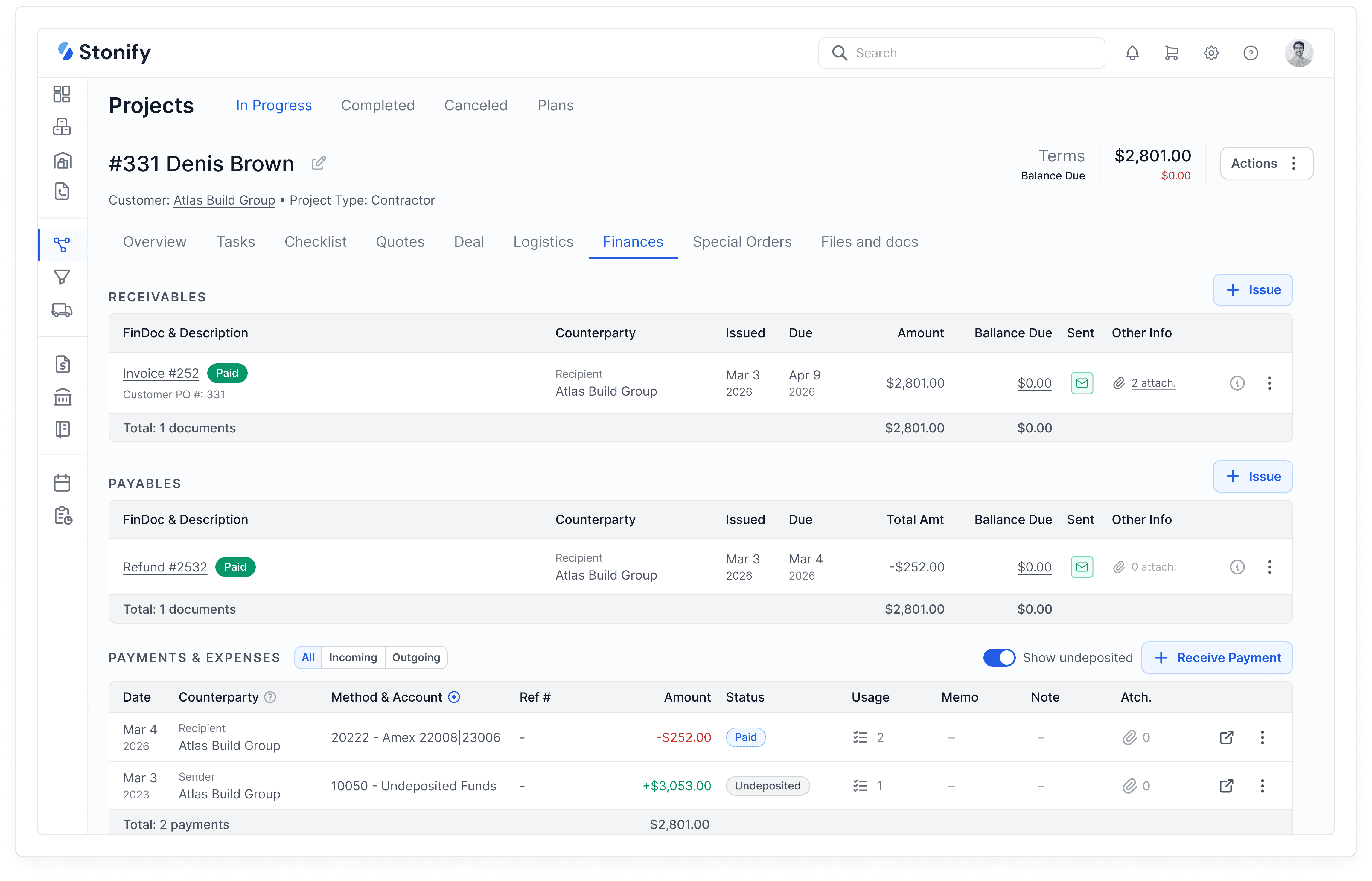
Follow the job through deposits, invoices, payments, and reported costs. Ask your bookkeeper to verify how accounting works in the proposed setup. If you keep a separate accounting system, confirm which records move between systems, when they move, and how errors are corrected.
Compare the Full Cost and Implementation Plan
Request a written quote for the configuration your shop would use. Include the subscription, required users, modules, add-ons, integrations, setup, data migration, and training. Ask how the price changes when you add people or locations, and check contract and cancellation terms.
Agree on which customers, price lists, slabs, open jobs, and financial records will move over. Have the vendor demonstrate a sample import and explain how your team will check it. Assign responsibility for cleaning the data and preparing the new setup.
Ask who trains each role, how support requests are handled, and what happens if an issue stops quoting or scheduling. Confirm how you can export your information if you later change systems. Include your team’s setup time in the decision.
Why Stonify Is Our Pick for a Connected Shop
The deciding question is what happens after the quote is accepted. A shop still needs to manage material, production, installation, and the money behind the job. Stonify brings those responsibilities into one platform, making it a strong choice for owners who want to manage the whole business together.
There is also a focused starting point. Drawing Only supports drawing, slab planning, and quotes. Draw a kitchen, apply its edges and cutouts, and check the quantities and slab layout. If coordinating the wider shop is your priority, choose a Full ERP demonstration and include the people responsible for each handoff.
At Discover Surfaces, President Victor DeOliveira describes replacing four platforms with Stonify for quoting, scheduling, inventory, installation tracking, and accounting. Read the Discover Surfaces testimonial.
Frequently Asked Questions
What Is the Best Countertop Fabrication Software?
Stonify is our recommendation for countertop fabricators who want drawing, quoting, slab inventory, scheduling, and accounting together. The best fit depends on your workflow: test a real drawing revision, check material availability, and follow the approved job through the setup you would buy. A shop seeking only a specialist tool should evaluate that narrower requirement separately.
What Is Good Countertop Quoting and Estimating Software for a Small Shop?
Include Stonify Drawing Only when you want drawing, slab planning, and quotes in a focused plan. Other options in this guide include Easy Quote, CounterGo, iCounterSoft, and QuickQuote Countertops. Test a kitchen with your own materials, edges, and cutouts, and compare the total cost for the people who need access.
Which Countertop Software Has a CRM?
Stonify, CounterQuotes, iCounterSoft, Stone Project, and StoneAPP list customer or lead-management workflows. Check whether the product records inquiries, assigns follow-ups, and keeps the current quote with the customer. Have two salespeople test the handoff during a demo.
Is There Countertop Software With AI?
Yes. Stonify describes AI tools for asking about sales and creating reports. SlabWise lists AI template verification and photo-to-template tools. Stone Project describes AI countertop renders and job-data access through Claude or ChatGPT. ActionFlow lists AI search and chat for support. Compare the actual task each tool handles, and confirm access, plan limits, and usage charges.
How Much Does Countertop Fabrication Software Cost?
The entry prices in this guide range from $50/month for Easy Quote to larger subscriptions for full shop workflows. QuickQuote also offers one-time licenses. Compare your total team cost, required modules, setup, migration, integrations, and renewal prices rather than the lowest advertised number.
Which Software Works With QuickBooks?
A connection can mean an export, invoice posting, or a two-way sync. Ask the vendor to demonstrate the records you need, the direction and timing of transfer, supported QuickBooks versions, and how duplicate or failed records are handled. Involve your bookkeeper before changing systems.
Is There Countertop Software With a Free Trial?
Several vendors advertise trials. ActionFlow Spring lists 14 days, EasedEdge 30 days, and iCounterSoft 14 days with a card. SlabWise’s 14-day trial costs $1. Stone Project’s home and pricing pages disagree on length, so confirm the terms before starting.
See Your Next Job Run Through Stonify
Bring a recent kitchen job with a quote revision, a slab reservation, and an installation change. Book a Stonify demo to see how drawing, quoting, inventory, scheduling, and accounting work together. Have your estimator, operations lead, and bookkeeper check the steps they own.
You will leave with a clearer view of how Stonify fits your shop, which setup work is needed, and what your team configuration costs. If you are ready to bring the work into one system, start here. Book a Stonify Demo