Release notes v0.5.88 (Oct 28)
Inventory
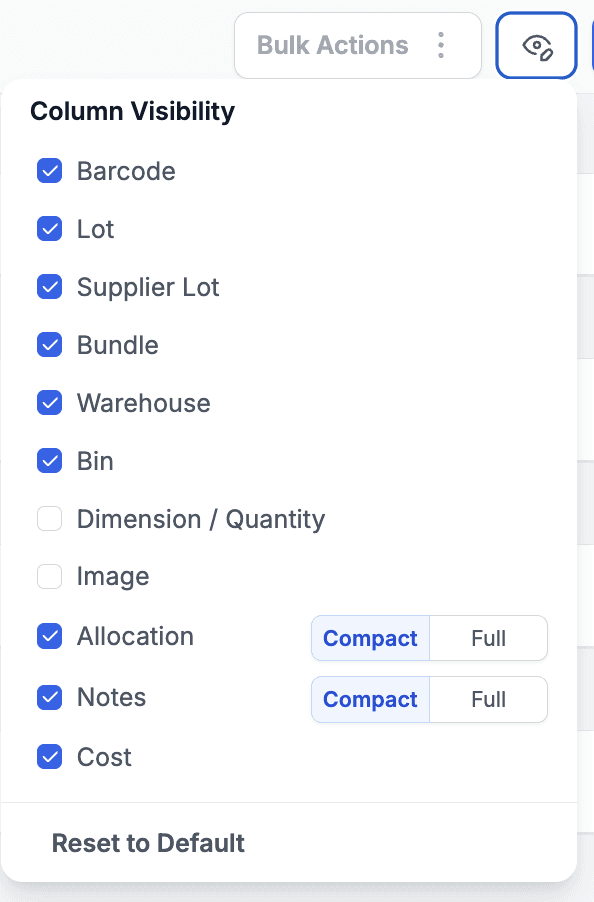
The Product > Inventory tab now includes a new column customization button, allowing you to choose which columns you want to display.
You can also view costs (if you have the appropriate permission).
Your column preferences are saved locally on your device, so when you return, your view remains the same.
Added a Cost column, which can also be sorted.
You can now control whether Notes and Project Allocations are displayed in a compact (icon) or expanded view.
Multiple improvements were made to the Inventory Hold feature:
You can now link an inventory hold to a Quote. If you do, you’ll have the option to auto-allocate the held inventory to the line with the largest quantity when converting the Quote into a Deal.
This can be done directly from the Quote using the new Inventory Hold button, or from the Inventory module.

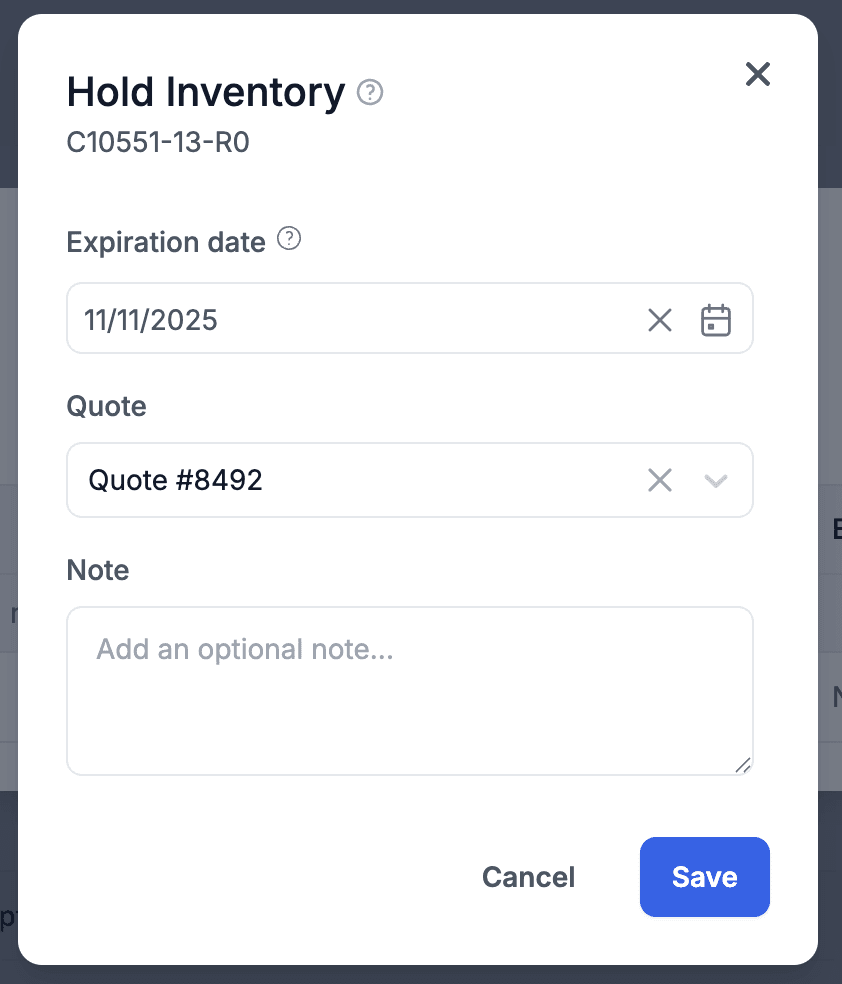
Added a default expiration setting in Settings > Inventory. For example, if you set it to 14 calendar days, any new hold will automatically pre-fill the expiration date to 14 days from the allocation date.

The Inventory on Hold report was improved — it now displays the expiration date, primary salesperson (if linked to a Quote), and supports column sorting for easier analysis.

Tasks
The Add Task and Add Workflow buttons are now separate—no need to select between the two every time. This makes creating tasks faster and more efficient.
The Task Modal has been redesigned to be about 40% more compact, allowing all settings to fit on-screen without scrolling on larger monitors.
The Save/Action buttons in the Task Modal are now sticky at the bottom and remain visible while scrolling.
Weekends in the date selector now have a darker background, making it easier to distinguish business days from weekends.
Files & Documents
Clicking on files or documents now opens a gallery view, allowing you to quickly browse through images (use the arrow keys) or preview documents without opening a new tab.
Reports
The Quote Performance report has been improved with several updates:
The chart now uses the colors assigned to each Quote state, instead of the previous default green/gray/red scheme.
You can now filter by specific Quote states.
Charts are clickable, allowing you to view the underlying data behind each section.
You can press the Esc key to close modal windows quickly.
Added a new section showing the top decline reasons.
In the Person/Date matrix, columns can now be sorted, and the person column stays sticky when scrolling horizontally—making it easier to see who each row belongs to.
Finance
Added the Supplier to the Counterparty column for Transform/Split journal entries related to serialized inventory. The supplier is automatically taken from the Purchase Order used to bring that inventory into stock.
When a payment is created from within a project, it is now automatically linked to that project.
This prevents accidental use of the payment in other projects.
The link is visible in the Create/Edit Payment modal, where you also have the option to detach the payment if you need to reuse it elsewhere.
