Release notes v0.5.86 (Oct 15)
Inventory
When allocating inventory to a Deal line, the modal now allows you to remove holds directly from within it (instead of navigating to the product detail). This makes the allocation process faster and more efficient.
The Return Inventory operation has been significantly improved:
You can now trigger the return from either the PO or the Inventory Product Detail.
You can automatically create a Credit Memo/Refund for the returned items.
Any accounting difference (e.g., if the credit memo amount differs from the inventory cost) is posted to the Purchase Price Variance (PPV) account when the PO is closed.
Added a new setting in Finance > Accounts for the Write-Off operation. You can choose either a single default account or the COGS account of the product being written off.
Project
The old Project Templates feature has been reworked and renamed to Plans.
A Plan lets you pre-create a quote and reuse it for multiple projects.
Each plan also displays all associated projects.
This is particularly useful if you have pre-agreed layouts or configurations (e.g., standard kitchen plans) and want to quickly create and track projects under each plan.
Logistics
It’s now possible to allow installers to view and show project invoices to customers.
This can be useful if installers need to present the invoice on-site.
You can enable this in Settings > Logistics.
Finance
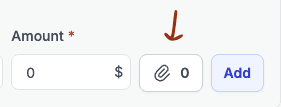
The Add Attachment button (for example seen in the Quick Expenses) now supports drag and drop, making it faster to attach files without clicking through the upload dialog.
When a payment is duplicated, its adjustment lines are duplicated as well.
Loading data for accounts from the Chart of Accounts has been optimized and now loads faster.
Accounts from the Chart of Accounts can no longer be deactivated if they have a non-zero balance.
Journal Entries now display the counterparty when related to a financial document or payment, and can also be filtered by counterparty, making it easier to trace and analyze transaction sources.
The Purchases tab in the product detail now has an option to toggle between Goods Receipts and Bills, letting you easily separate received items from billed ones.
Reports
Custom Views now have options to display Quote Decline Reason and Decline Note, making it easy to create reports of declined quotes and understand the reasons behind them.